Evidence analysis report generator — forensic reporting
Automatically analyze images and documents for forensic evidence. Save time with AI-powered, reliable evidence analysis reports — with less manual work needed.
Example starting point only. Verify every connection and any sending, booking, inventory, approval, or handoff action before deployment.
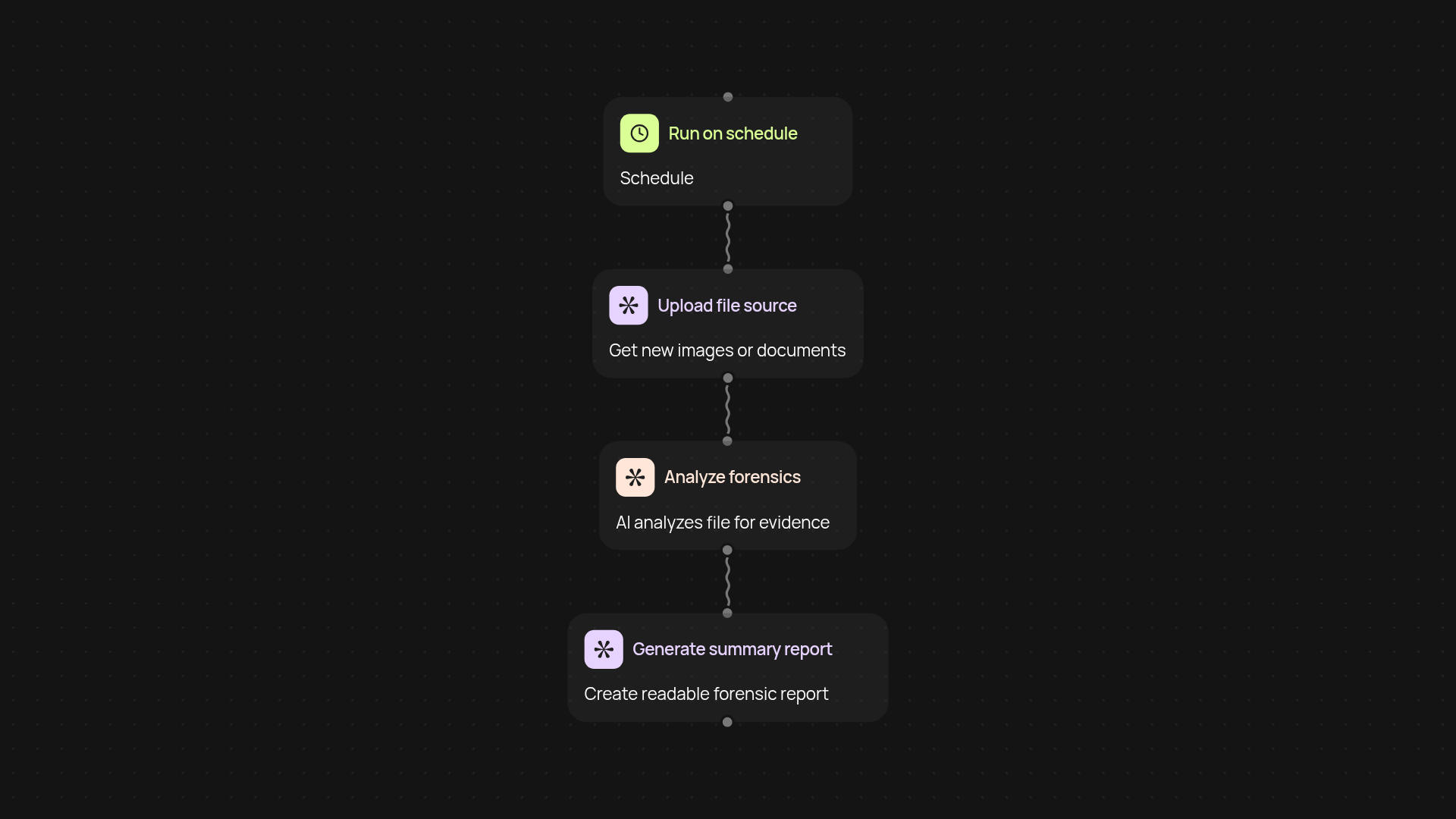
What can the evidence analysis report generator do for you?
With the evidence analysis report generator, you can go from raw images and documents to a structured forensic evidence report — after setup and review. Upload or capture your files, and CodeWords will examine them, pulling key findings and organizing observations into an easy-to-read summary. Spend less time on manual review, and focus on making decisions faster.
How does it turn raw files into insights?
Our tool examines your documents and images using AI, extracting relevant details such as objects, text, timestamps, and context clues. Each piece of evidence gets analyzed in the background. The findings are compiled into a readable report, so you can review results instantly — no more combing through pages or scrolling endlessly. Everything you need is presented clearly and concisely.
Can I trust the accuracy of the reports?
Yes. The report generator uses advanced AI models that are continually updated to recognize and interpret key forensic cues. Each report highlights detected items, context, and links back to the original files, so you always have the full picture before making a judgment. You get reliable, transparent results — every time.
How do I set it up and what do I need?
Getting started is simple. First, choose when you want the workflow to run — manually, on a schedule, or triggered by a new file. Next, connect your file source. The tool will scan and analyze your images and documents automatically. All you need is your evidence files and a CodeWords account to unlock hands-off forensic reporting.
Get started today
Your first workflow is free to build.
Describe what you need. Cody handles the build, the connections, and the deployment.