Email sentiment monitor — spot negative emails instantly
Monitor your inbox for negative emails and get instant alerts before issues escalate. Save time and prevent missed signals.
Example starting point only. Verify every connection and any sending, booking, inventory, approval, or handoff action before deployment.
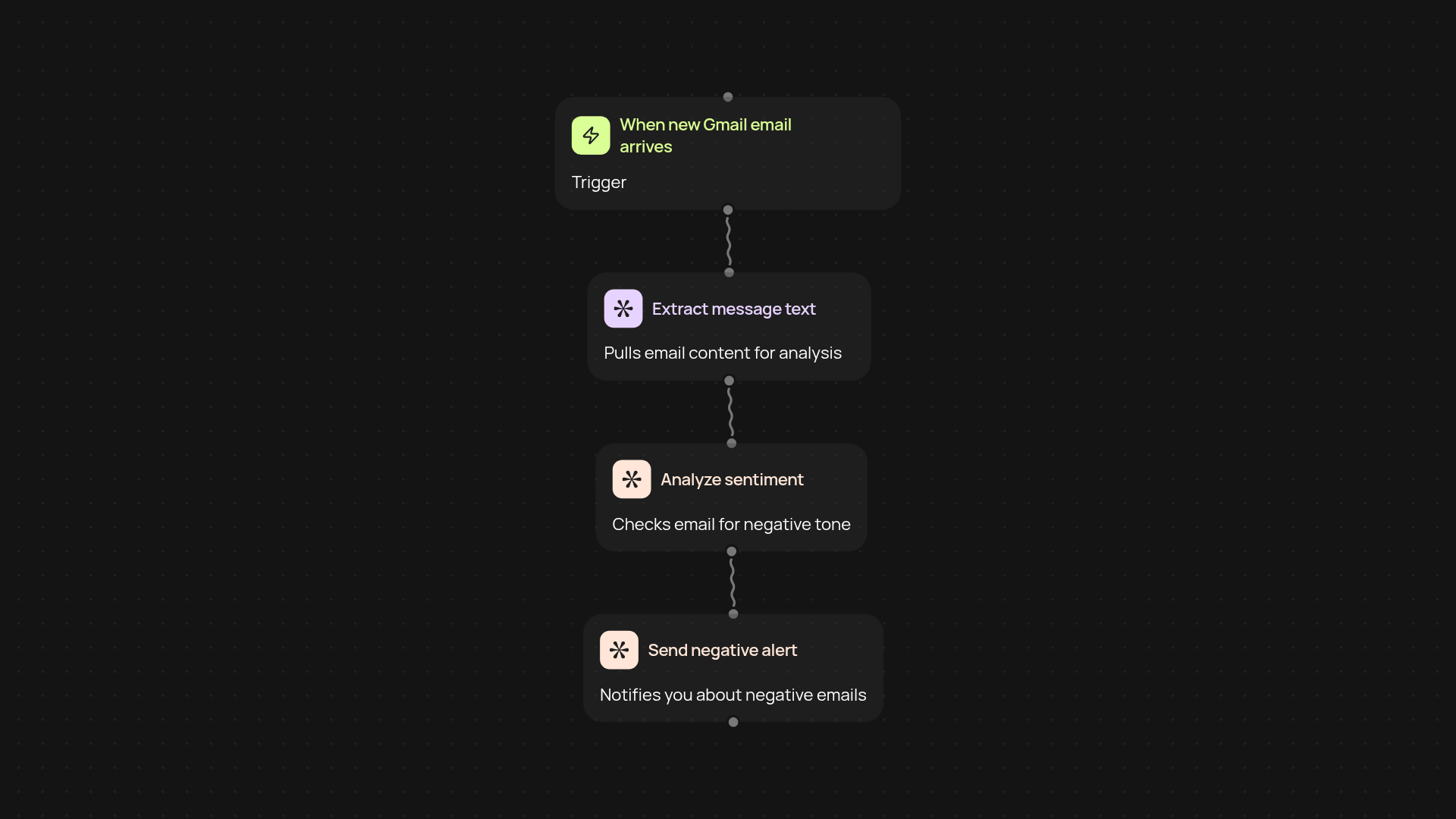
What does the Email Sentiment Monitor do for you?
The Email Sentiment Monitor tracks new emails in your Gmail inbox and analyzes the tone of each message. If a message has negative sentiment, you get an immediate alert — helping you address problems before they escalate. Set it up once, and it works quietly in the background so you are less likely to miss a critical communication.
How does it detect and alert on negative emails?
As soon as a new email arrives, its text is scanned and analyzed for tone and sentiment. If negative keywords or emotional cues are found, you receive a direct notification. This process ensures you can respond quickly to unhappy clients, partners, or customers — keeping relationships on track.
Can you use this without technical experience?
Yes. You don’t need any special skills to get real value. The setup is straightforward, and everything runs automatically once connected to your Gmail account. Simply link your email, choose your preferred alert channel, and let CodeWords handle the rest.
What do you need to get started?
To activate the Email Sentiment Monitor, you’ll just need a Gmail account and an alert destination — like Slack or another inbox. The setup process takes just a few minutes, and you’ll start getting insights right away.
More templates
Get started today
Your first workflow is free to build.
Describe what you need. Cody handles the build, the connections, and the deployment.