Email onboarding sequence — welcome new customers
Set up an automated onboarding email sequence for new customers with CodeWords. Personalize steps, save time, and keep every signup engaged.
Example starting point only. Verify every connection and any sending, booking, inventory, approval, or handoff action before deployment.
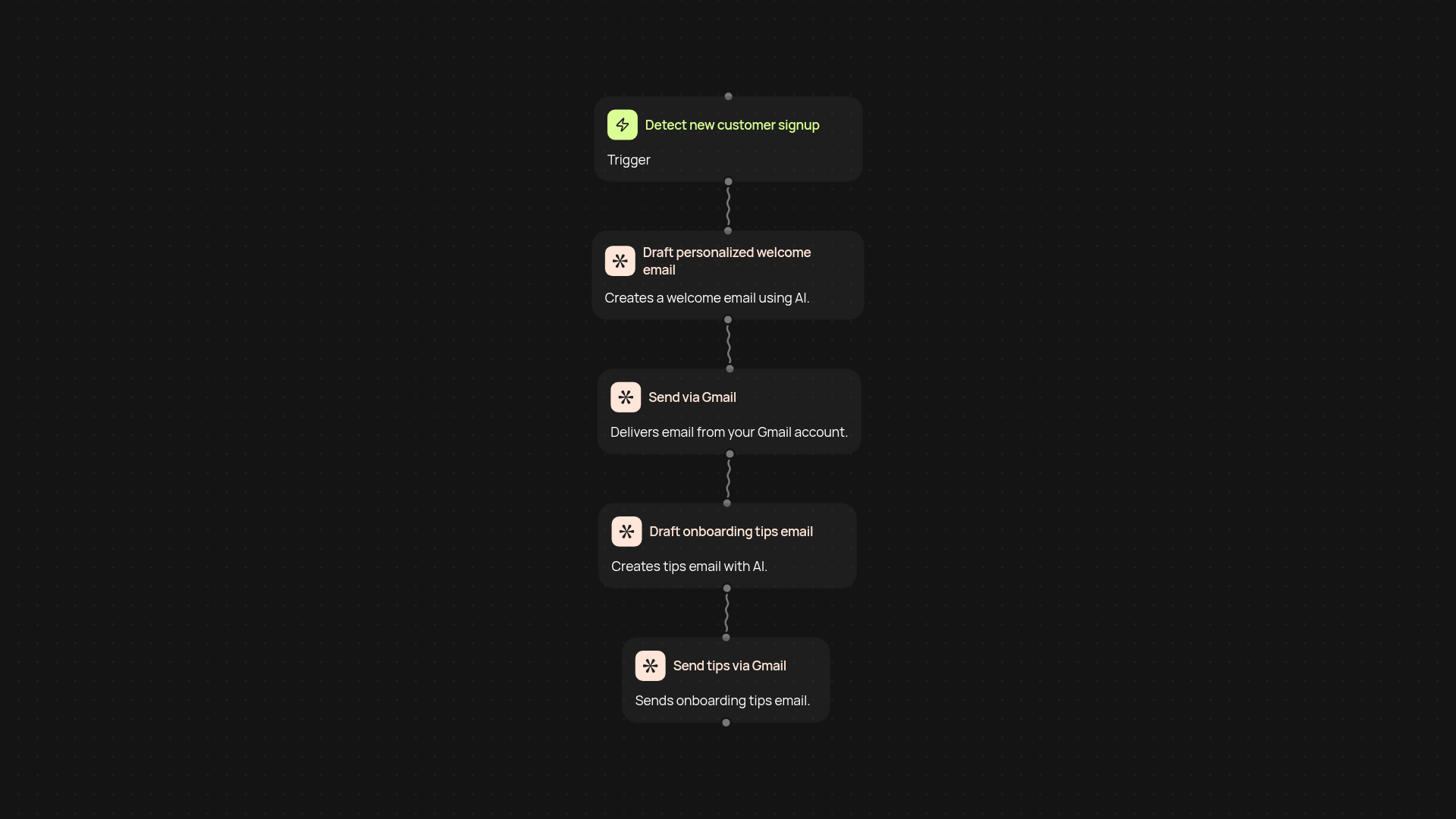
What does this email onboarding sequence do for you?
With CodeWords, you can send a series of onboarding emails to new customers—after setup and review. This template detects each new signup, drafts personalized welcome messages, and schedules follow-up reminders, ensuring every customer feels supported from day one. No more repetitive manual emailing or missed touchpoints. Everything runs automatically, so you can focus on growing your business.
How are your messages personalized and timed?
The sequence taps into AI to craft engaging, tailored email content for each customer based on their signup details. Emails are sent at set times—like a welcome immediately, tips a day later, and a check-in after a week. This approach keeps your onboarding relevant and spaced out, so customers aren’t overwhelmed and know exactly what to do next.
Does it work with Gmail and other email tools?
Yes. The sequence uses a Gmail connection (through Pipedream) for delivery, so emails go straight from your own business address. You get full visibility—plus you can track email status and tweak content anytime. It’s easy to adjust the sequence to fit your style or expand to other tools later on.
How do you set this up and what do you need?
You’ll need a Gmail account and a list of new signups—or connect your signup system directly. Setup takes minutes: choose your triggers, customize each email with AI, and let CodeWords do the rest. No design or complex integrations required. Start delivering consistent onboarding today, even if you’ve never automated email before.
Get started today
Your first workflow is free to build.
Describe what you need. Cody handles the build, the connections, and the deployment.