Educational Lecture to YouTube — turn lectures into videos instantly
Convert any educational lecture into a YouTube video using AI. automatically, fast, and no editing skills required. Start publishing videos in minutes.
Example starting point only. Verify every connection and any sending, booking, inventory, approval, or handoff action before deployment.
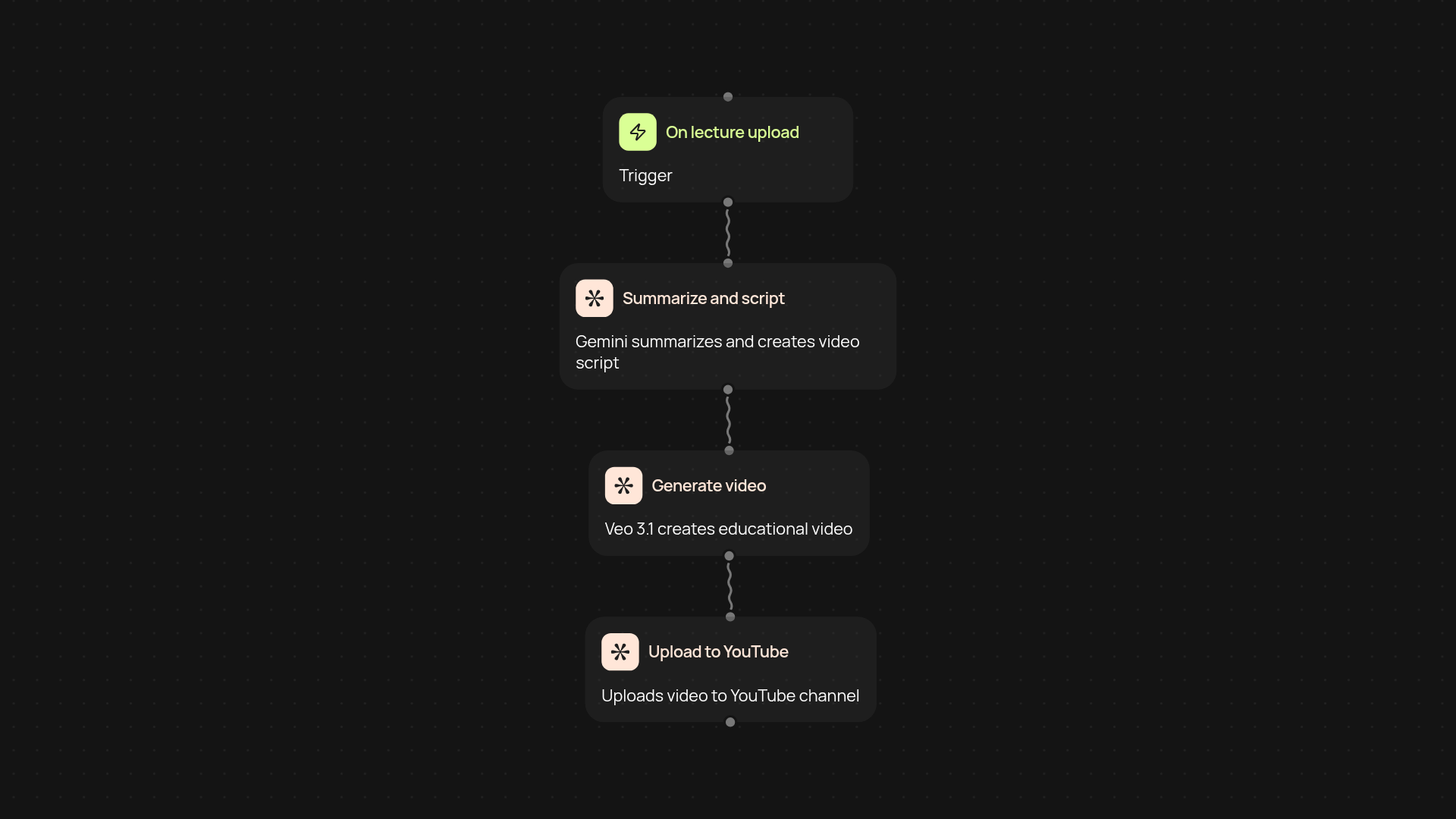
How does this template turn lectures into YouTube videos?
With just a click, you can transform any educational lecture into a polished YouTube video — complete with visuals and narration. Simply upload your lecture transcript or audio. The template processes your material, summarizes key points, and sends it to Gemini and Veo 3.1 to create engaging, educational content. Your final video is then ready for instant upload to your YouTube channel, all without manual editing or video production skills.
What makes this process faster than manual video editing?
This template does the hard parts in the background. It automatically cleans up your lecture, generates slide-like visuals, and uses AI to craft a compelling script. Next, Veo 3.1 creates the video — so you don’t spend hours editing slides, recording voice-overs, or syncing visuals. Everything flows from lecture to video, saving you nearly an entire workday every week.
Can I customize the content or review it before uploading?
Yes, you’re in control. You’ll see the AI-generated script and preview the video before it goes public. Edit, update, or approve with just a few clicks—no technical skills required. This way, your educational content stays accurate and matches your unique teaching style.
What do I need to get started?
All you need is your lecture (text or audio) and your YouTube account. Setting up the template takes minutes. Once connected, everything runs automatically from lecture upload to finished video. No complicated tools required—just upload, review, and publish. You’ll be ready to produce professional educational content in less time than ever.
Get started today
Your first workflow is free to build.
Describe what you need. Cody handles the build, the connections, and the deployment.