Document to Flashcards — turn documents into custom study sets
Instantly turn PDF or text documents into Q&A flashcards for efficient studying. No manual copying — just upload and get ready-to-review study sets.
Example starting point only. Verify every connection and any sending, booking, inventory, approval, or handoff action before deployment.
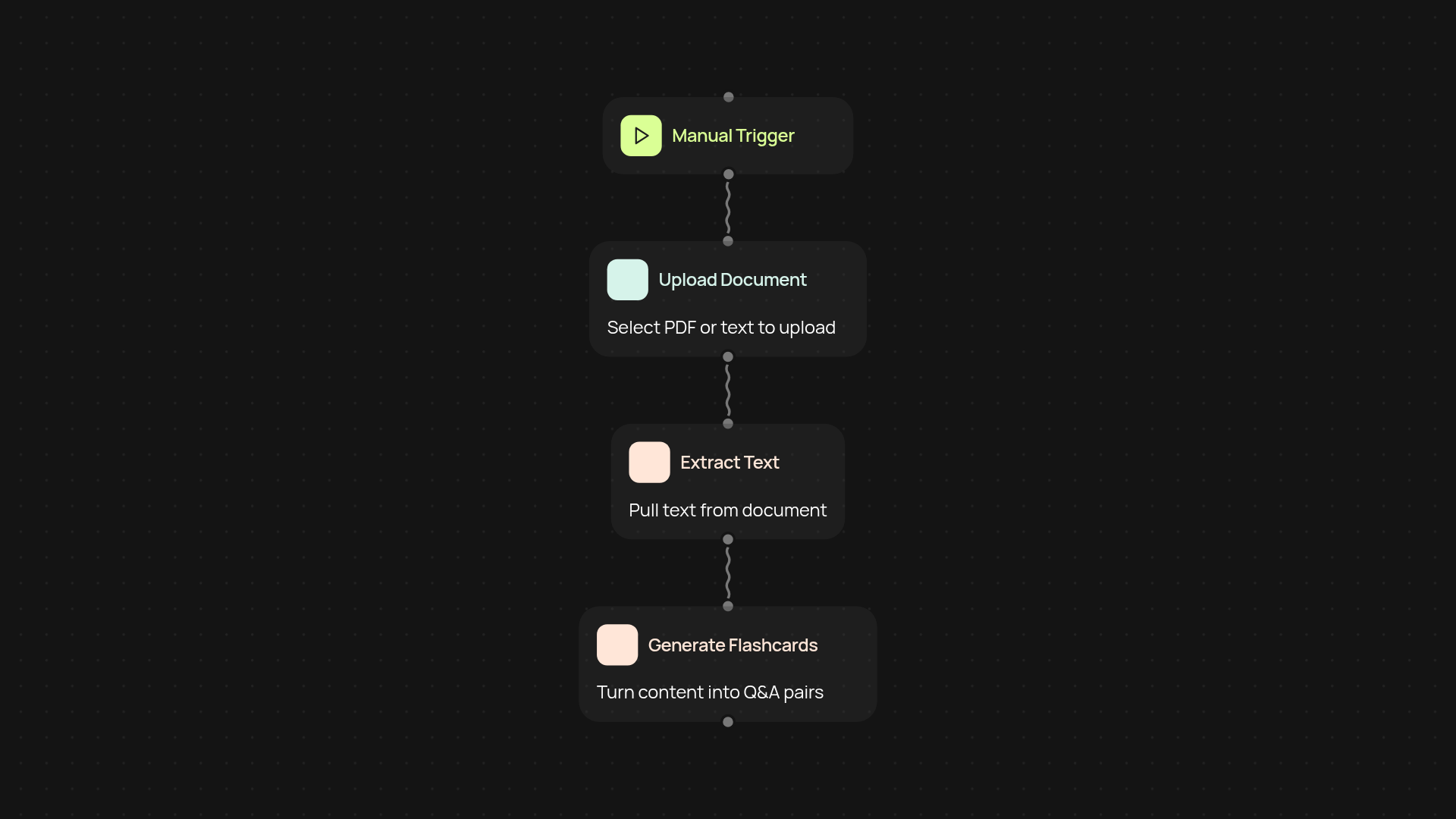
How can you turn any document into study flashcards?
Transform the way you study by turning your PDFs and text documents into personalized flashcards — instantly. With Document to Flashcards, you simply upload your document, and our platform generates a set of clear, structured Q&A cards. No more manual writing or typing out questions for review sessions.
What types of documents can you use for flashcard generation?
You can use PDF files and plain text documents of any subject or length. The service processes everything in the background, pulling out major topics and details to build effective study sets. Just upload and let the tool do the heavy lifting, whether you’re prepping for exams or organizing team training materials.
How accurate are the generated Q&A flashcards?
The Q&A pairs are built by analyzing the core ideas and key facts inside your document. Each flashcard focuses on the content that matters most, so you get concise prompts for quick recall and revision. Editing is simple, so you can customize cards if you need even more focus on certain topics.
What’s required to start creating automated flashcards?
All you need is a PDF or text document to upload. Select Document to Flashcards, and the system will handle everything else — no extra effort needed. With a couple of clicks, you’ll get a ready-to-learn flashcard set, saving hours each week. Perfect for students, educators, or anyone looking to streamline their study routine.
More templates
Get started today
Your first workflow is free to build.
Describe what you need. Cody handles the build, the connections, and the deployment.