Defect Dev Requirements Generator — AI-driven requirements in your spreadsheet
Analyze defect spreadsheets with AI to add developer requirements and solutions columns, without manual work. Save hours weekly with CodeWords automation.
Example starting point only. Verify every connection and any sending, booking, inventory, approval, or handoff action before deployment.
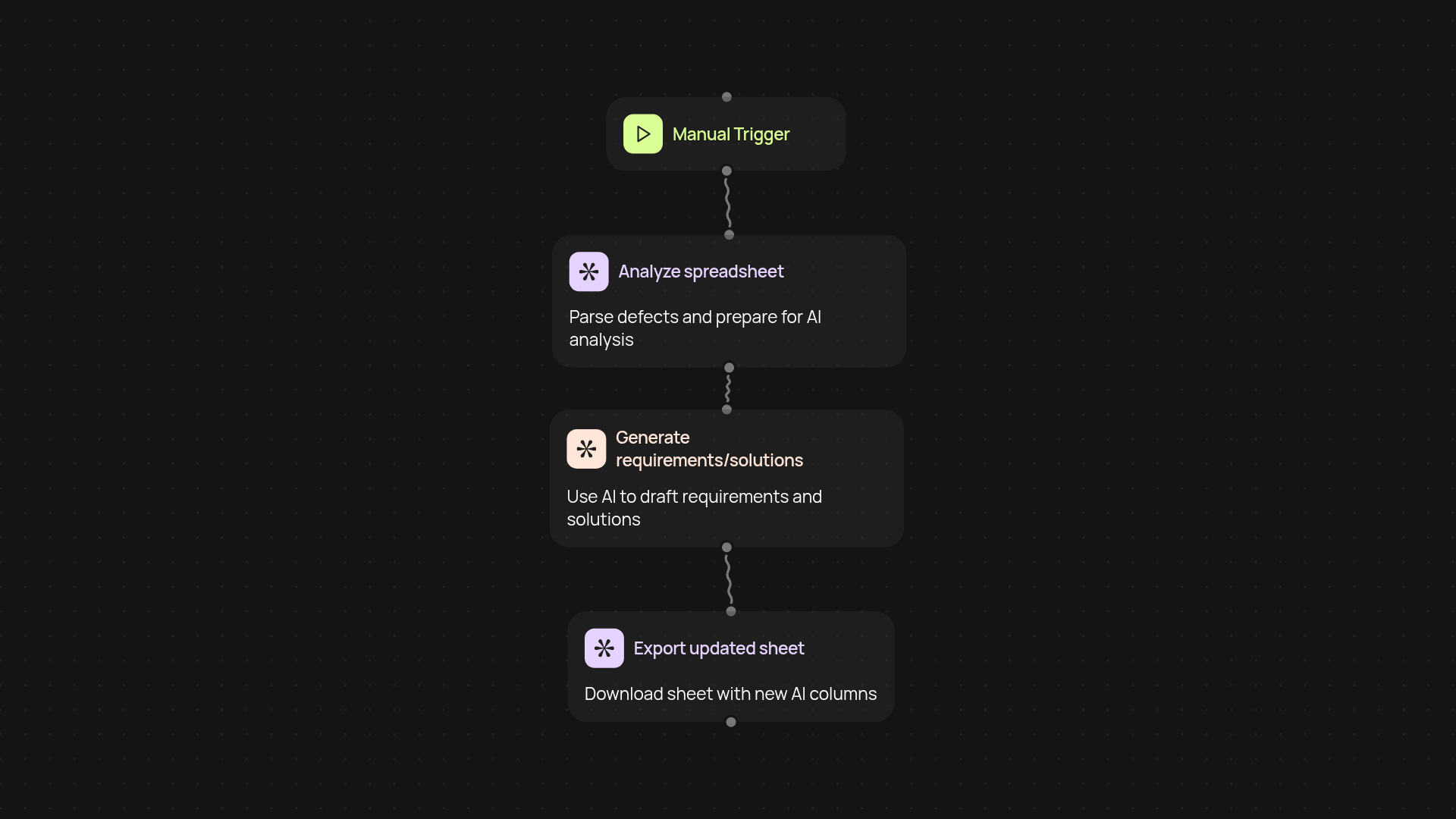
How does this template add requirements and solutions to defects automatically?
Right away, you get an AI-powered assistant for your spreadsheet. The Defect Dev Requirements Generator scans your defect list, analyzes each entry, and fills in new columns with clear development requirements and solution ideas. No more switching between documents or endless meetings — just upload your spreadsheet and let the process run from its configured trigger. It's from its configured trigger clarity for every defect.
Can it really save me from manual data entry?
Yes, and here’s how. The automation pulls your defect report, understands the context of each item, and creates precise requirements developers can act on. Plus, it suggests relevant solutions for every row in your sheet. You’re left with richly detailed, actionable data — all filled in, so you can focus on progress and decision-making instead of repetitive admin tasks.
What spreadsheets and workflows does it support?
This template works with any CSV or Excel defect list you can export. Whether you're tracking bugs in Jira or managing issues in a homegrown system, just download your defects to a spreadsheet. Upload to CodeWords, and the template processes it all instantly. AI powers the analysis in the background, so your process adapts to any team or tool you use.
How do I get started and what do I need?
Getting started is simple. 1. Export your defect spreadsheet. 2. Upload it to CodeWords and choose this template. 3. No special setup is required — the AI takes care of analysis and completion. Have your sheet ready, and you’ll go from raw list to detailed requirements after setup and review.
More templates
Get started today
Your first agent is free to build.
Describe what you need. Cody handles the build, the connections, and the deployment.