Databricks job automation — handle jobs with reduced manual effort
Automate Databricks jobs with CodeWords. Trigger, monitor, and retrieve jobs automatically in Pipedream. Save time and focus on results.
Example starting point only. Verify every connection and any sending, booking, inventory, approval, or handoff action before deployment.
What does databricks job automation do for you?
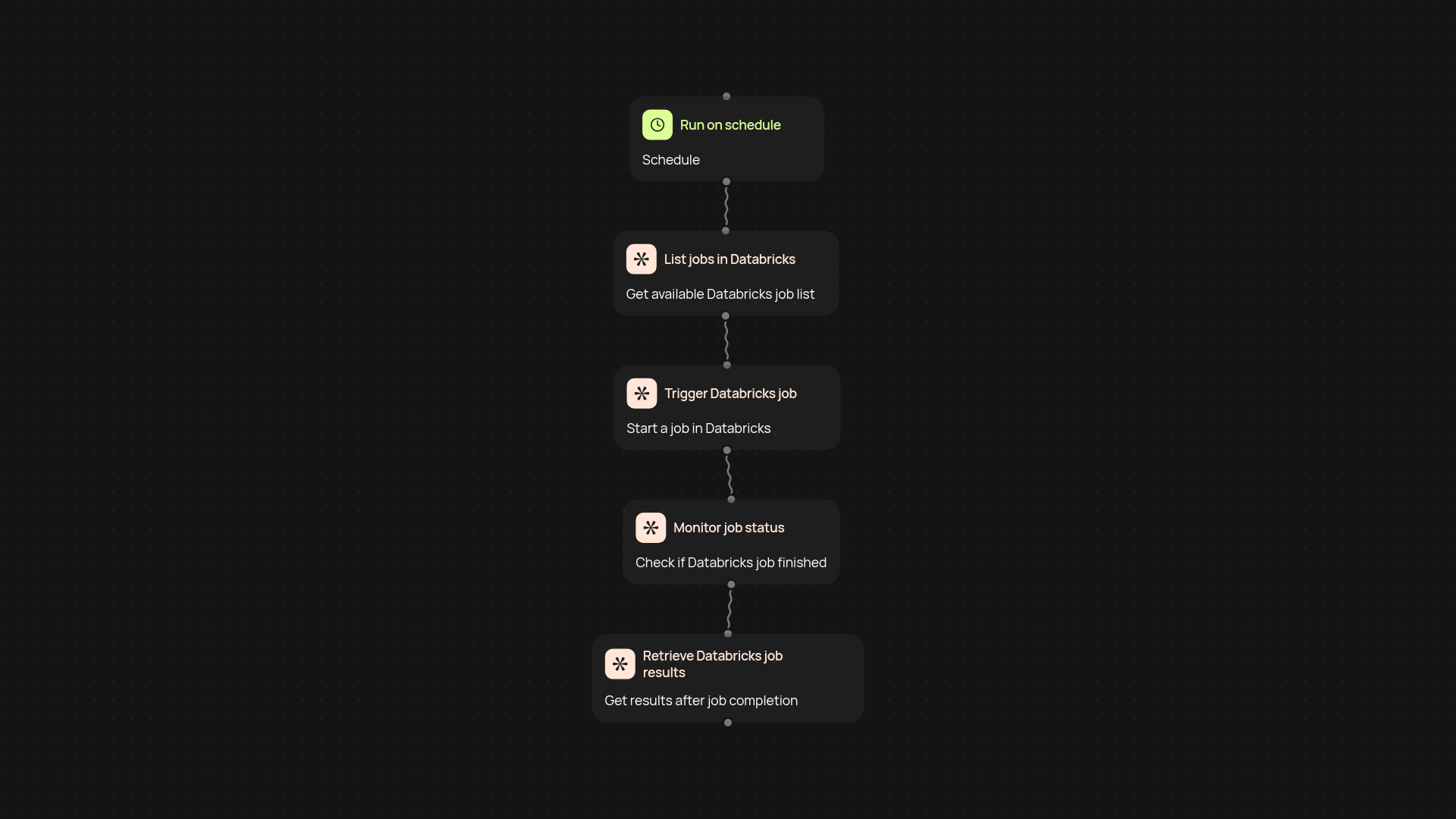
With CodeWords, managing your Databricks jobs becomes simple and automatically. This template connects your Databricks workspace to Pipedream, letting you trigger jobs, monitor their progress, and get results instantly—without manual checks or repetitive clicks. You set the rules, and everything runs automatically in the background. Focus on insights, not admin work.
How can you trigger, monitor, and retrieve Databricks jobs?
Start jobs based on schedules or specific triggers—like a finished workflow or a received file. You'll get real-time updates as your jobs run, and results will be retrieved for you. All activity happens quietly, saving your team hours weekly. Stay informed after setup and review.
What makes automated Databricks job management valuable?
If you're tired of checking jobs manually or missing key updates, this template is your shortcut. You reduce errors, speed up feedback, and keep your team in the loop with notifications from Slack, email, or other platforms your business relies on. Everything just works in the background, letting you prioritize the tasks that matter.
How do you set it up?
Getting started is straightforward. You'll need your Databricks workspace details and a Pipedream account. Choose your triggers — like a time schedule or a Slack notification — and you're ready to automate. Guided setup required: select, connect, and start automating your Databricks job pipeline in minutes.
More templates
Get started today
Your first workflow is free to build.
Describe what you need. Cody handles the build, the connections, and the deployment.