Data Analyzer with Gemini — transform your files into reports
Turn CSV and Excel files into detailed AI-powered reports with Gemini. Save hours analyzing and understanding your business data.
Example starting point only. Verify every connection and any sending, booking, inventory, approval, or handoff action before deployment.
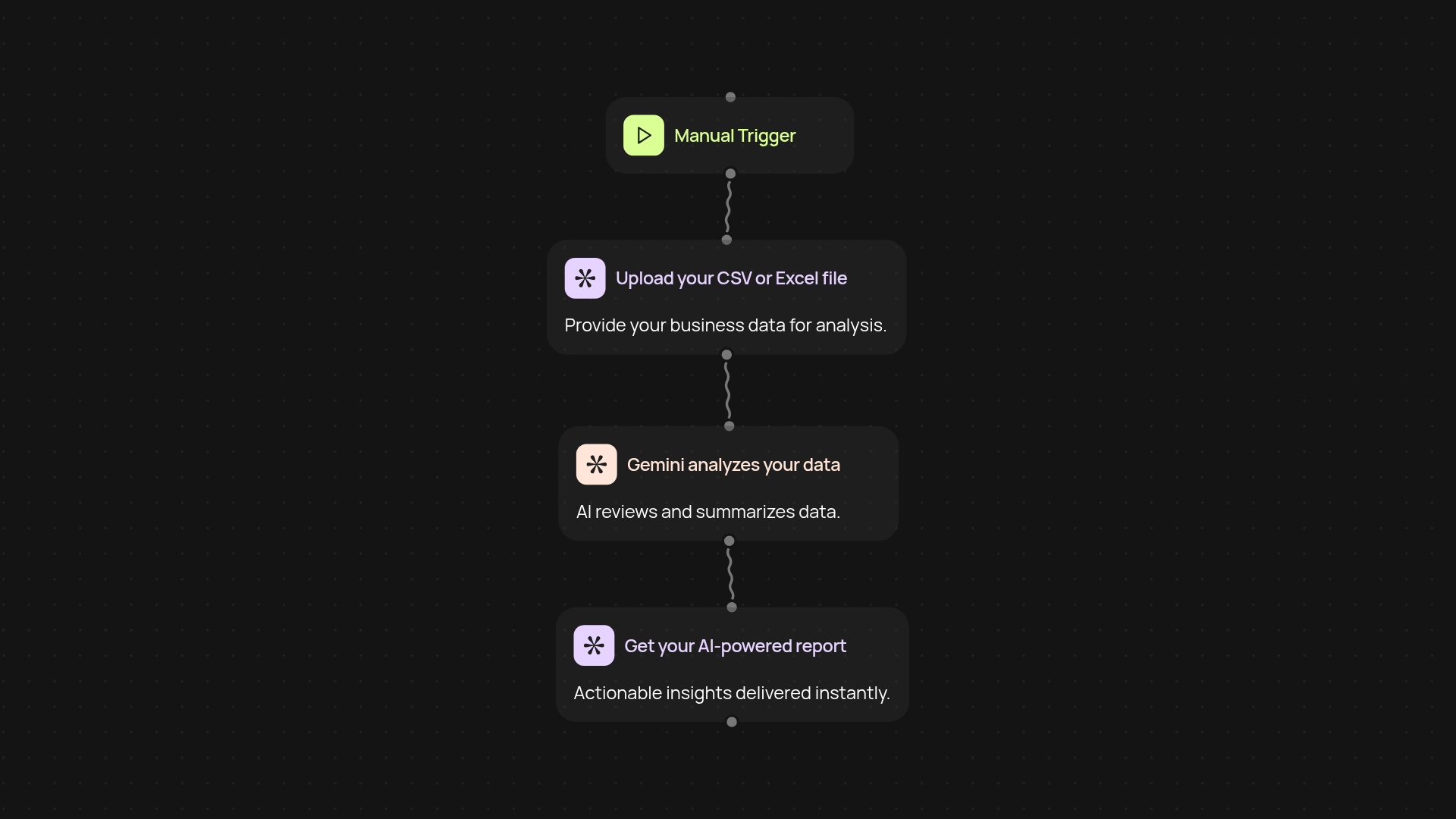
What does the Data Analyzer with Gemini do for you?
Data Analyzer with Gemini turns your raw business data into clear, actionable AI-powered reports—without any manual effort. Just upload a CSV or Excel file, and Gemini quickly interprets your data, shares important trends, and provides insights you might miss by hand. Instead of wrestling with spreadsheets, you get a streamlined report that helps you understand your business at a glance.
How does it make sense of complex data sets?
Gemini reviews every entry and column in your file. It pulls out summaries, builds charts, and highlights key takeaways right away. Even with large or messy files, you’ll get a polished, easy-to-read report designed for decision makers. You never have to crunch the numbers yourself—the AI does it all in the background, so you can focus on what truly matters.
What can you learn from your data using this tool?
Discover areas of growth, surface hidden trends, and spot potential issues sooner. Data Analyzer helps you answer pressing questions like: What are my biggest drivers this quarter? Where are my teams excelling? Which products are underperforming? You save hours each week that would otherwise be spent sorting through rows and formulas.
How do you set up the Data Analyzer with Gemini?
Getting started is simple. Choose whether you want to run the analysis on demand or schedule it for regular updates. Upload your CSV or Excel file, then let Gemini do the rest. You don’t need technical skills—just your business data and a few clicks. That’s it; actionable insights are delivered straight to you, every time you need them.
Get started today
Your first workflow is free to build.
Describe what you need. Cody handles the build, the connections, and the deployment.