DAM Image Processor — automate image optimization and analysis
Speed up your workflow by optimizing images, creating thumbnails, extracting metadata, and analyzing colors automatically with the DAM Image Processor.
Example starting point only. Verify every connection and any sending, booking, inventory, approval, or handoff action before deployment.
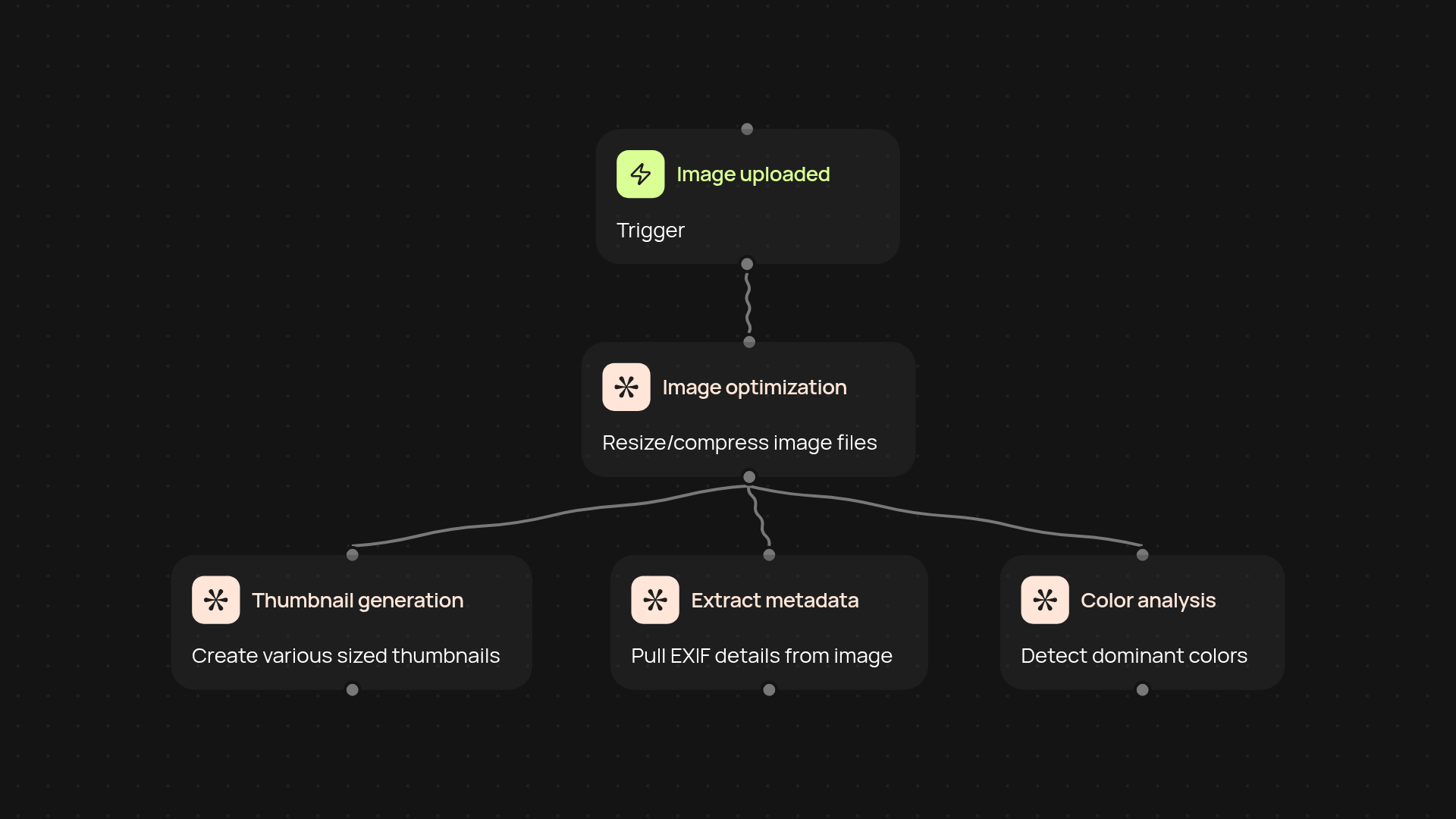
What does the DAM Image Processor automate for your team?
The DAM Image Processor streamlines your entire image workflow from start to finish. It handles repetitive tasks like generating custom-sized thumbnails, compressing and optimizing images, extracting EXIF metadata, and breaking down dominant colors in every file. These processes run in the background, letting you organize creative assets, keep your system up-to-date, and deliver images efficiently—entirely automatically.
How does it optimize images and generate thumbnails?
Every image uploaded gets optimized for web or print use in seconds. The system makes multiple thumbnails to fit your required dimensions, so you instantly have previews ready for catalogs, product galleries, or internal stakeholders. All resizing and optimization happen without manual work, so your team can focus on more valuable tasks.
How are color and metadata insights delivered?
You get automatic EXIF data extraction—so technical details like camera, location, and settings are always on hand for sorting and search. Plus, the image analysis identifies dominant colors within each file, helping you tag, categorize, and visually organize your media library faster.
What do I need to get started?
Just choose your trigger—process images as soon as they’re uploaded, or run everything on a regular schedule. Upload a batch of images and the DAM Image Processor does the rest after setup and review. No complicated configuration or technical know-how required.
More templates
Get started today
Your first workflow is free to build.
Describe what you need. Cody handles the build, the connections, and the deployment.