DAM AI Auto-Tagging — digital asset tagging
Tag, categorize, and describe assets with AI for faster, smarter digital asset management workflows — with less manual work needed.
Example starting point only. Verify every connection and any sending, booking, inventory, approval, or handoff action before deployment.
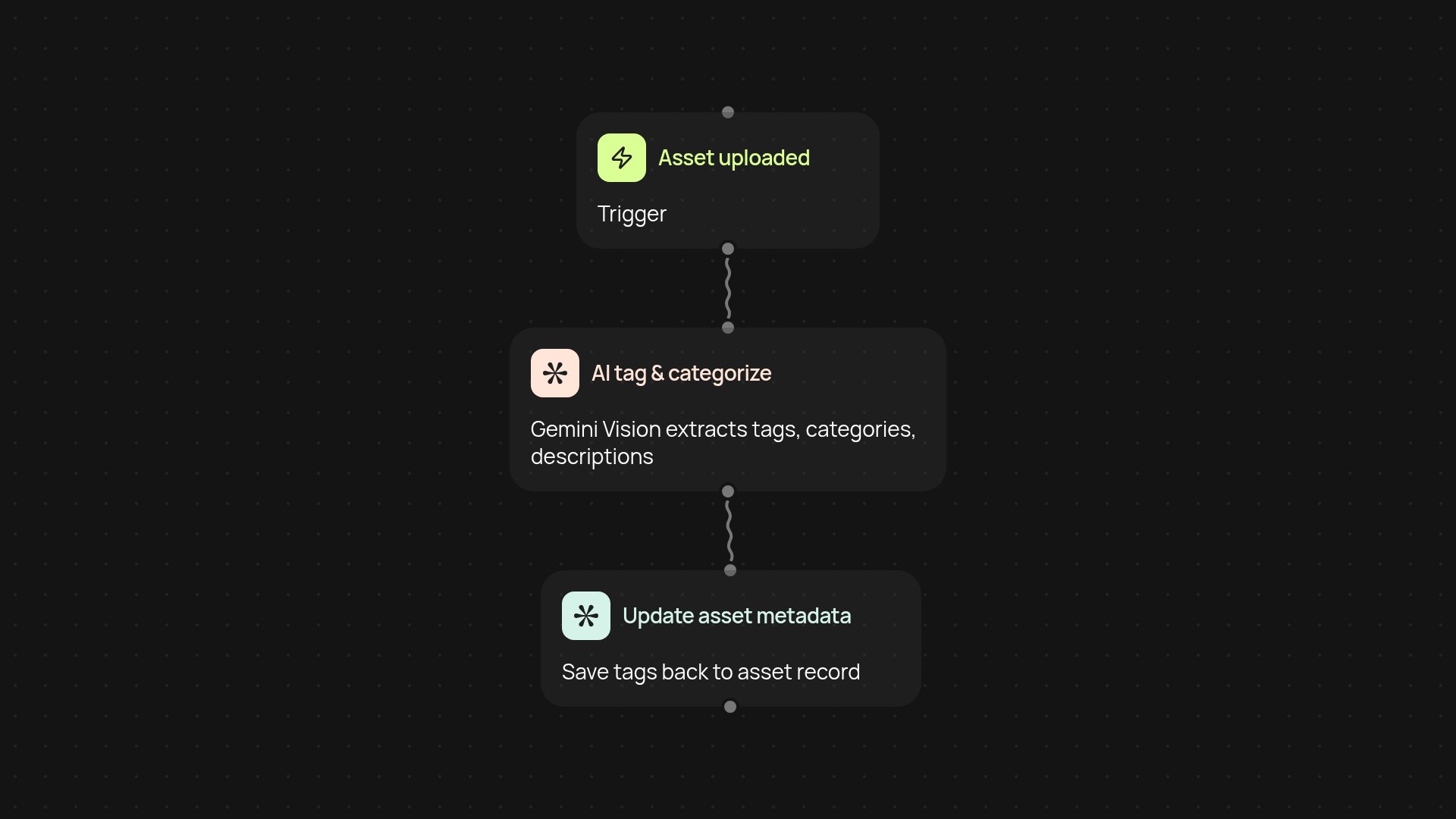
What does DAM AI auto-tagging do for your assets?
DAM AI auto-tagging takes the work out of organizing your files. You upload or add assets — images, videos, graphics — and, in moments, every file gets tags, categories, and descriptions generated by Gemini Vision. No more endless manual sorting or missed keywords: everything is handled in the background so your library stays organized and searchable after setup and review.
How will you benefit from automatic tagging?
You'll speed up asset management and reduce human error. AI tagging ensures consistency across your collection, making assets easy to find and use. Instead of spending hours updating metadata, your team can focus on creative projects, content production, or launching campaigns. Just drop your files in and get clean, consistent asset tags instantly—no more bottlenecks.
How accurate is AI-driven asset categorization?
The system uses Gemini Vision to analyze and describe assets based on their content. This means your tags and categories reflect actual visuals and context, not just file names. You get smarter recommendations and more useful metadata, so searching your digital library is fast and frustration-free. It's especially valuable for large libraries or marketing teams with thousands of images and videos.
How do you get started with DAM AI auto-tagging?
All you need is a digital asset source (your DAM, cloud folder, or uploads), and access to CodeWords. Set the automation to run on new asset uploads, and you're ready to go — even massive batches are handled automatically. Spend less time tagging and more time creating.
More templates
Get started today
Your first workflow is free to build.
Describe what you need. Cody handles the build, the connections, and the deployment.