Daily Email Digest and Reply — save time on your inbox
Get a daily Gmail summary, categorized by Gemini. Review, reply, and manage email with a single digest and Cody chat—no manual sorting required.
Example starting point only. Verify every connection and any sending, booking, inventory, approval, or handoff action before deployment.
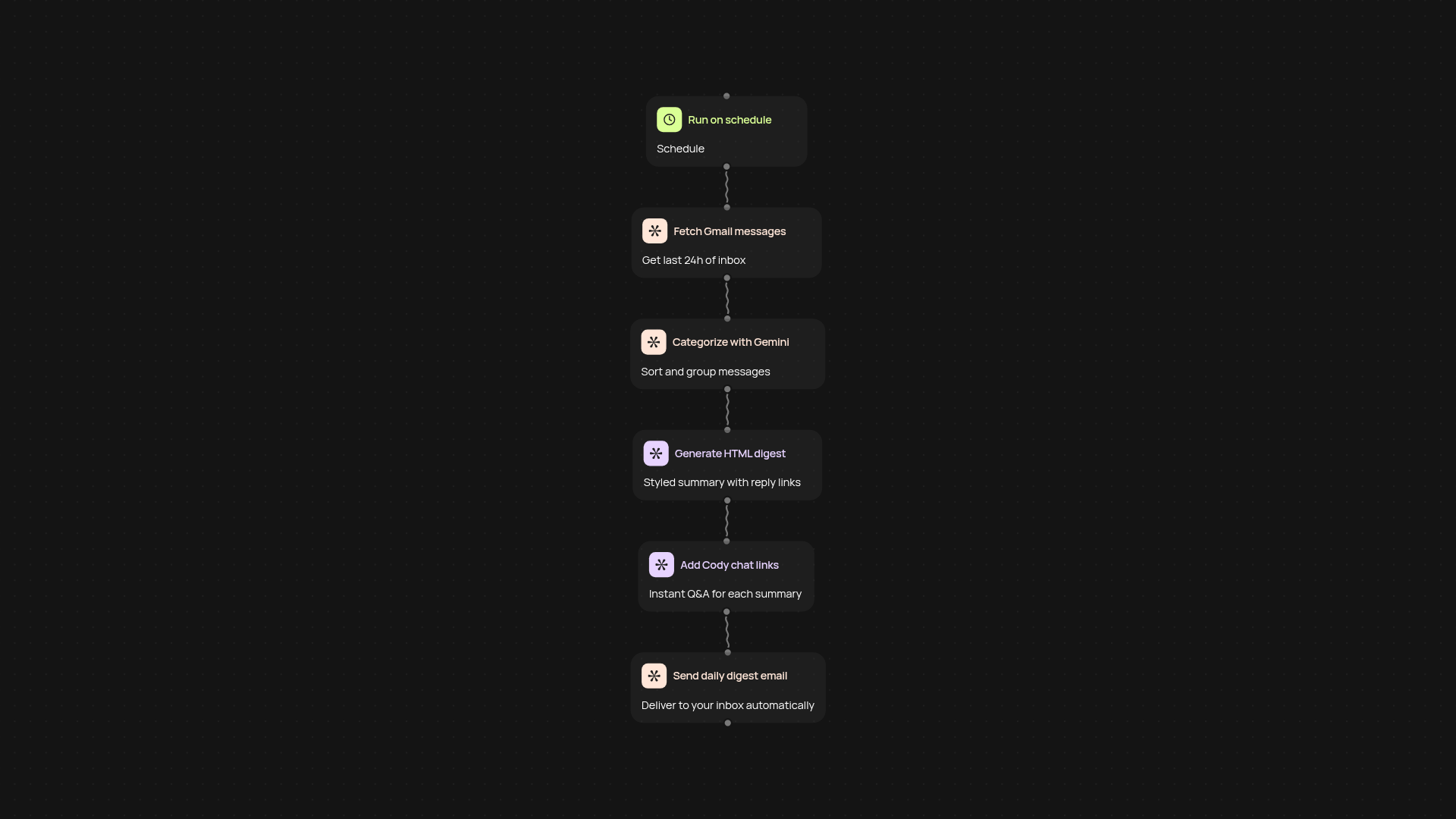
What does the daily email digest and reply template do?
This template gathers your last 24 hours of Gmail messages, sorts them into helpful categories, and delivers a clear, styled summary straight to your inbox. Each message includes an instant reply link and direct access to Cody chat for streamlined conversations. You'll start your day with a single, easy-to-read email, so you can stay on top of important threads without losing time to inbox overload.
How does it organize and summarize your emails?
Gemini AI reviews and sorts every message, grouping them by relevance—so you see urgent items, newsletters, promotions, and more, all laid out in one digest. No more hunting for important emails or sifting through clutter. The summary is concise yet detailed, helping you prioritize and reply faster. And Cody chat integration lets you ask questions or follow up with context.
Will I be able to reply directly and manage follow-ups?
Every email in your digest includes a reply link you can use right away. Need more context or want to discuss a complex message? Cody chat is just a click away from each summary item, making it simple to clarify next steps, draft responses, or set reminders. This means fewer missed messages and faster turnaround, all from your daily digest.
How do I set this up and what do I need to start?
Setup is automatic—just connect your Gmail account and authorize access. Choose your delivery time, and let CodeWords handle the rest. You don’t need technical skills or manual sorting: everything runs in the background. You'll get your first digest the next day, with all reply tools ready to use. All you need is your Gmail login and a moment to customize your preferences.
More templates
Get started today
Your first workflow is free to build.
Describe what you need. Cody handles the build, the connections, and the deployment.