Courier Tracking Automation — track shipments from Excel in bulk, faster
Track Indian courier shipments instantly from Excel. Automate bulk tracking, save hours, and get enriched data in one place.
Example starting point only. Verify every connection and any sending, booking, inventory, approval, or handoff action before deployment.
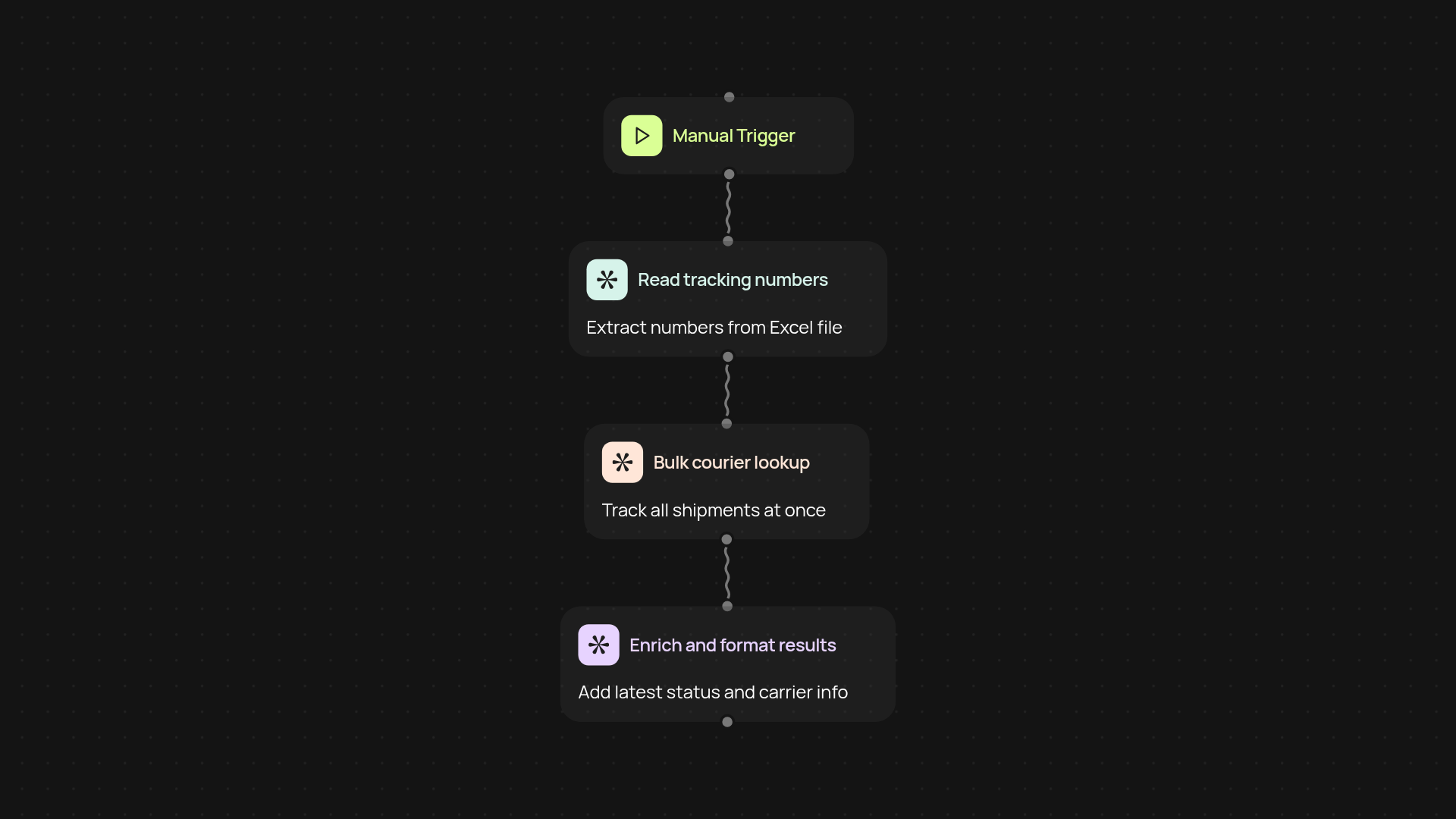
What does this courier tracking automation do for you?
You can forget about tracking packages one by one. Courier Tracking Automation unlocks automatic bulk tracking for all your Indian courier shipments — imported straight from Excel. Your entire delivery pipeline is updated in one go, with results compiled for you instantly. Stop chasing multiple tracking portals and keep every detail in one place after setup and review.
How does it make bulk shipment tracking easier?
Instead of spending hours copy-pasting tracking numbers and refreshing different websites, this automation processes all your shipments at once. It pulls tracking IDs from your Excel file, tracks them concurrently, and returns enriched status updates directly. You save time, avoid errors, and stay on top of delays or delivery issues before your customers do.
What data can you expect from the tracking results?
You get more than basic status. Courrier Tracking Automation enriches your results — showing delivery status, last scan time, carrier info, and more, compiled for every shipment on your list. See all your packages, their whereabouts, and delivery progress in a single file, ready for sharing or follow-up.
How do you set up and what do you need?
Getting started is simple. Just have your Excel file with tracking numbers ready. Run the automation with a click and connect your browser through the Chrome extension for live tracking. That's it — your bulk tracking results will be ready in moments. No technical know-how needed.
More templates
Get started today
Your first workflow is free to build.
Describe what you need. Cody handles the build, the connections, and the deployment.