Code Comment Generator — document code instantly and clearly
Add helpful code comments in seconds, without manual work. Code Comment Generator uses AI to instantly explain and document your code across projects.
Example starting point only. Verify every connection and any sending, booking, inventory, approval, or handoff action before deployment.
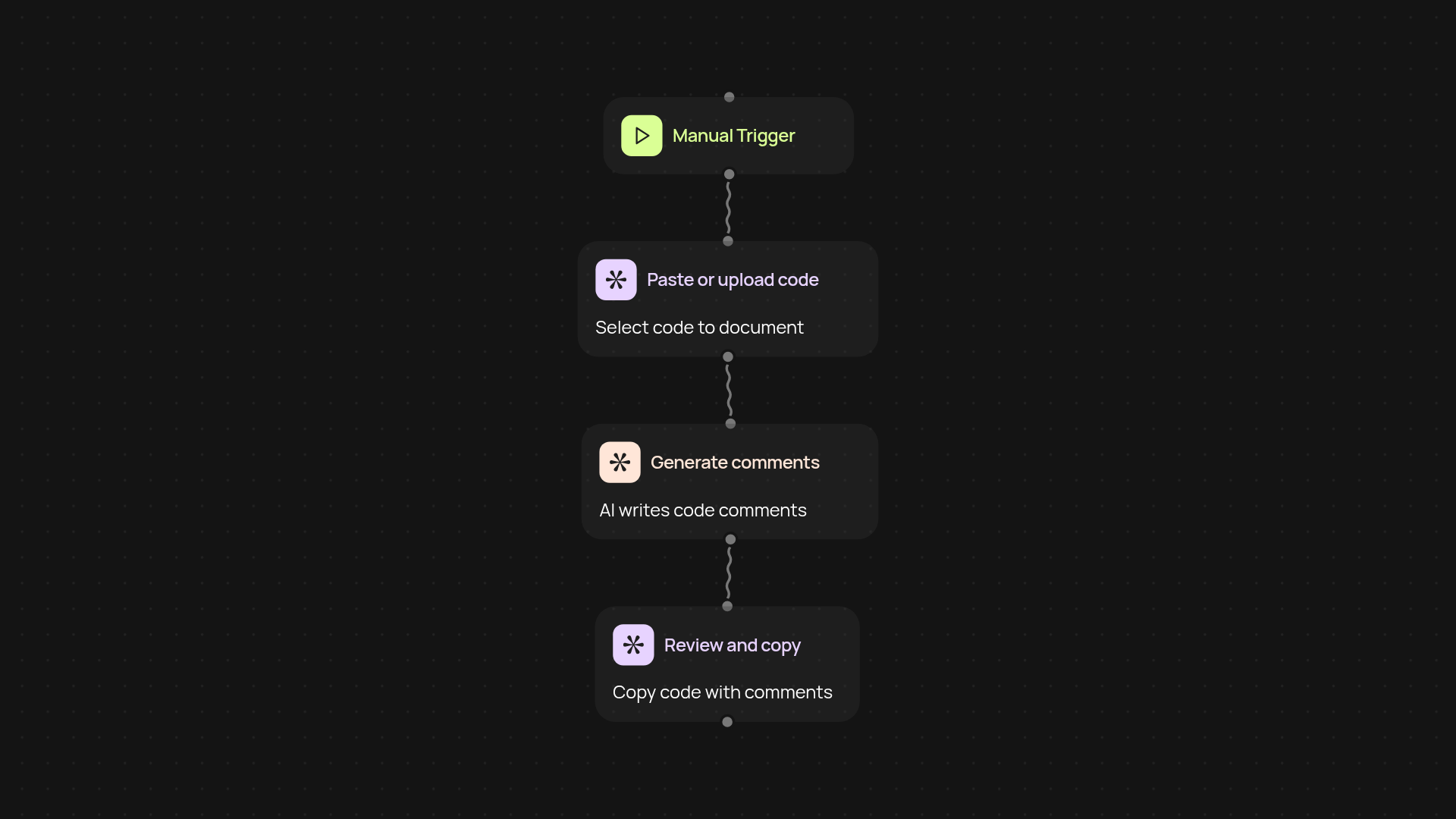
How does Code Comment Generator document your code?
With just one click, Code Comment Generator reviews your code and easily writes clear, helpful documentation comments. No more puzzling over what to write or wasting time explaining logic. You simply paste or upload your code—Code Comment Generator instantly analyzes it and inserts accurate, context-aware comments, making your codebase readable and maintainable for everyone.
Why should you automate code documentation?
Automating comment generation saves hours of repetitive work and keeps your team focused on actual problem-solving—not manual documentation. You'll avoid misunderstandings, speed up onboarding, and make future edits much simpler. The comments appear right alongside your code, after setup and review.
What types of code can it analyze?
Code Comment Generator works with multiple programming languages and project sizes. Whether your code is a small function or a major feature, it provides explanations and documentation ideally tailored to each piece—helpful for seasoned team members and new hires alike.
How do you get started with Code Comment Generator?
Just trigger the generator from your dashboard or favorite code editor. You only need your code on hand—no special setup required. Paste or upload your file, and let the AI handle the rest. In moments, your code is documented and ready to share with your team.
More templates
Get started today
Your first workflow is free to build.
Describe what you need. Cody handles the build, the connections, and the deployment.