ClickUp hiring pipeline automation — automate hiring and onboarding
Save hours by automating your entire hiring process in ClickUp, from task status to Gmail invitations and onboarding steps.
Example starting point only. Verify every connection and any sending, booking, inventory, approval, or handoff action before deployment.
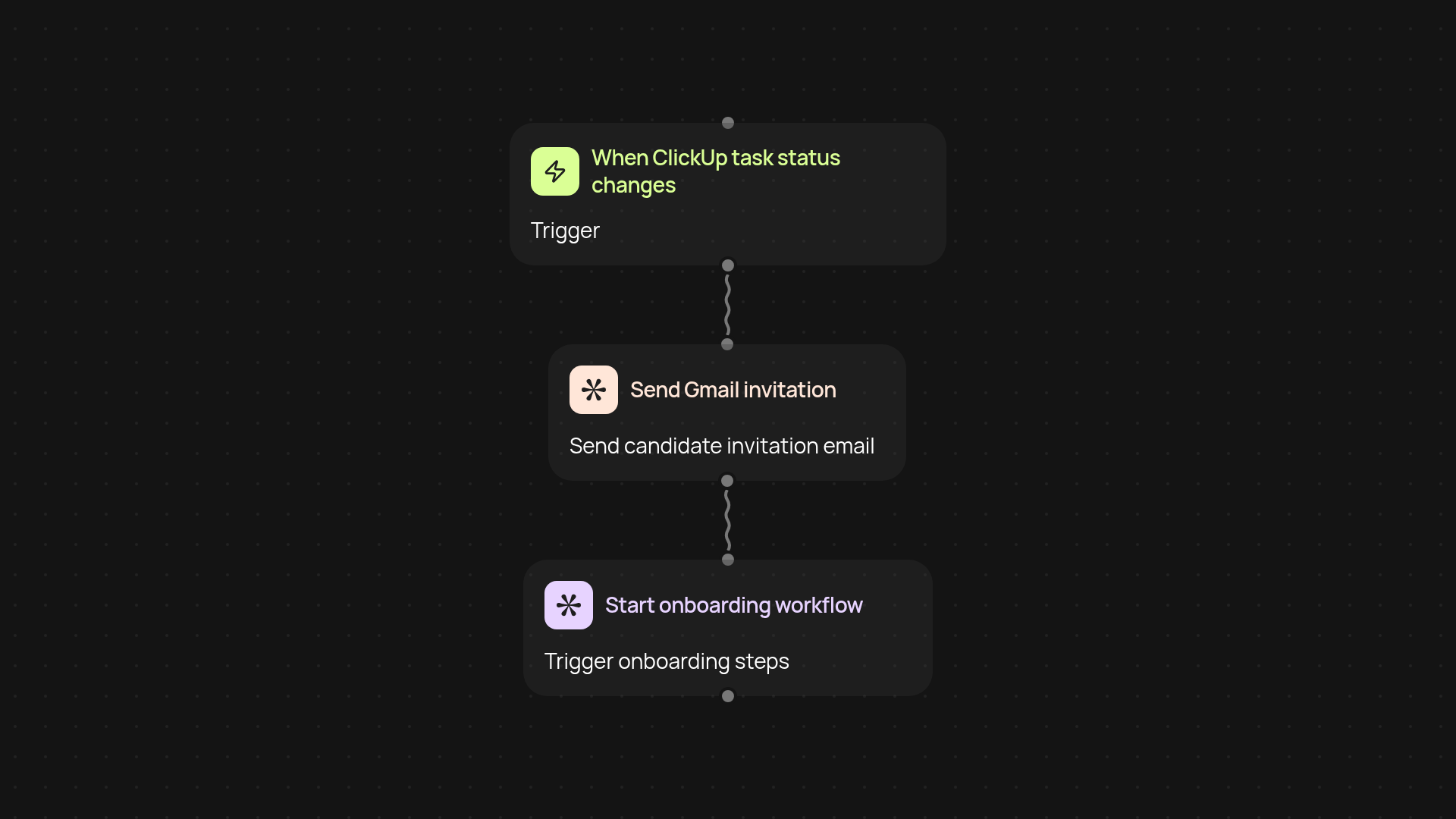
How does this ClickUp hiring automation work from start to finish?
With this template, you can streamline your hiring workflow in ClickUp after setup and review. As soon as a candidate's ClickUp task status changes — for example, to 'Interview' or 'Offer Sent' — the workflow springs into action. Gmail invitation emails are instantly sent to candidates, and all onboarding steps kick off right away. You get a smooth transition from hiring decision to welcome email, with every detail handled for you.
How do Gmail invitation emails get sent without manual work?
Whenever you update a candidate's status in ClickUp, this workflow automatically connects with Gmail to send a customized invitation message. There's no need to copy, paste, or draft emails — each candidate receives the right message at the right time. This keeps your hiring process moving and ensures no one is left waiting.
What onboarding tasks can be automated after the interview?
Not only does the template handle invitations, it can also jumpstart onboarding tasks. Trigger welcome packets, assign training tasks, or send next-step instructions, all triggered by a simple status change in ClickUp. Your HR team can focus on people, not paperwork.
How do you set up this ClickUp hiring automation?
Getting started only takes a few minutes. You'll need your ClickUp workspace and a Gmail account ready to go. Use the setup wizard to connect each account, select the ClickUp statuses that matter to your process, and personalize your email messages. No technical knowledge is required — just set it up once and your hiring runs automatically.
Get started today
Your first workflow is free to build.
Describe what you need. Cody handles the build, the connections, and the deployment.