Cinematic Story Audio Generator — create narrated audio stories from documents
Turn any document into a narrated audio story with scene-based MP3 files. Use AI to bring scripts, reports, or essays to life as dramatic audio.
Example starting point only. Verify every connection and any sending, booking, inventory, approval, or handoff action before deployment.
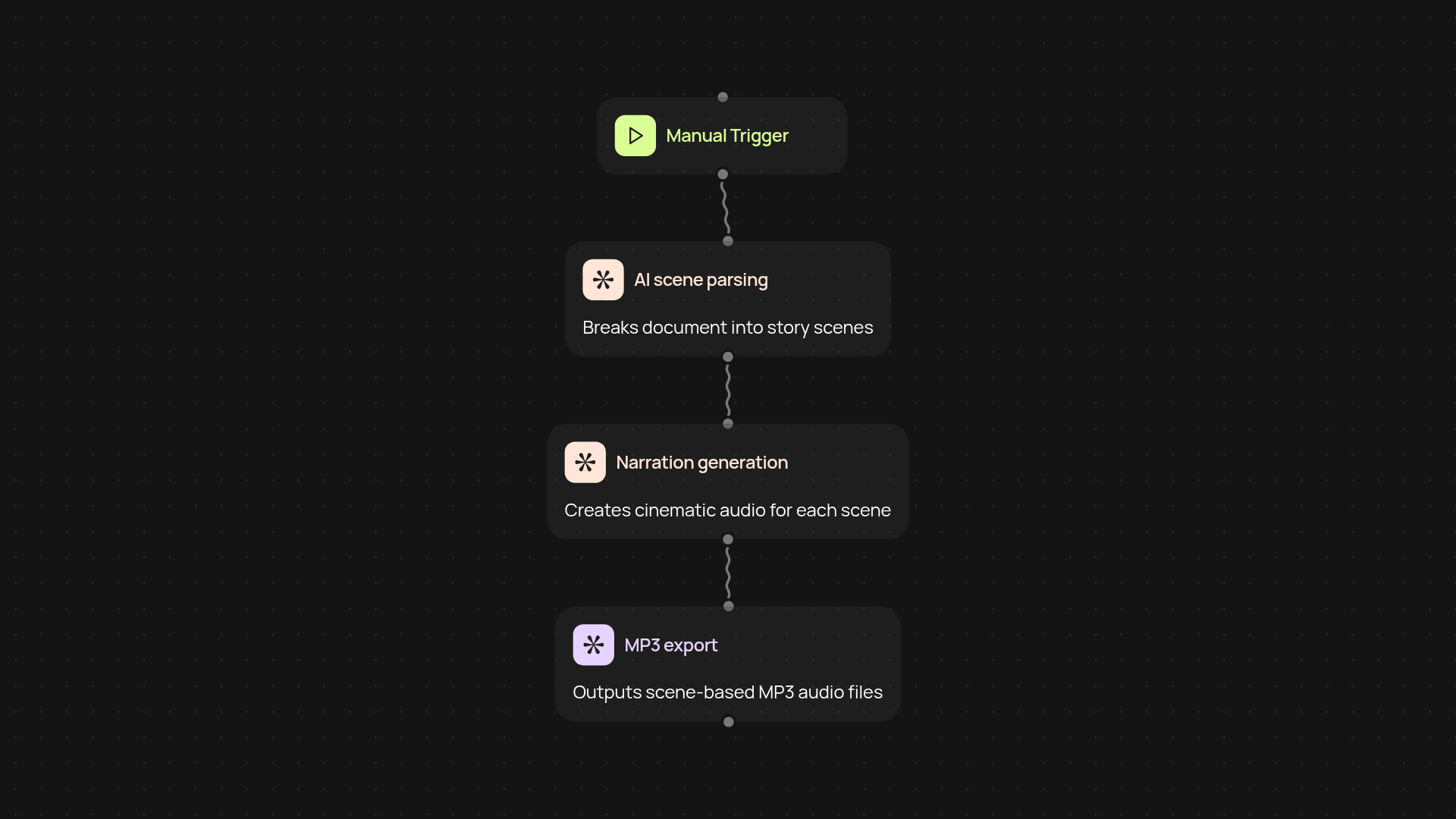
How does the cinematic story audio generator transform your documents?
The cinematic story audio generator takes your written scripts, reports, essays, or story drafts and instantly converts them into immersive audio narratives. In just a few moments, you'll get scene-based MP3 files, complete with dramatic narration — no voice actors or manual editing required. Simply upload your document, and listen as your story comes alive.
Why turn your written content into cinematic audio?
Listening engages deeper attention than reading alone. With narrated audio, you can share stories automatically, reach busy audiences, and give your brand or project a unique voice. Whether it's a company pitch, a training scenario, or creative fiction, the whole process runs in the background so you can focus on what's next.
What kind of files can you generate and share?
You receive studio-quality MP3 files, each representing a distinct scene from your source document. Deliver these to clients, stakeholders, or your team — or use them to enrich podcasts, websites, and presentations after setup and review. No need for audio mixing or script segmentation yourself.
How do you set up the cinematic audio generator?
Start by uploading your document file. The process is triggered right from your dashboard; CodeWords handles narration and MP3 creation from start to finish. All you need is your document and an internet connection — the rest is automatic. You can also set it to run on a schedule for recurring content needs.
Get started today
Your first workflow is free to build.
Describe what you need. Cody handles the build, the connections, and the deployment.