CAD Model Finder — find 3D models fast, without manual searching
Save hours by finding the right CAD models in seconds. Search top CAD libraries, collect specs, and extract details—all automatically.
Example starting point only. Verify every connection and any sending, booking, inventory, approval, or handoff action before deployment.
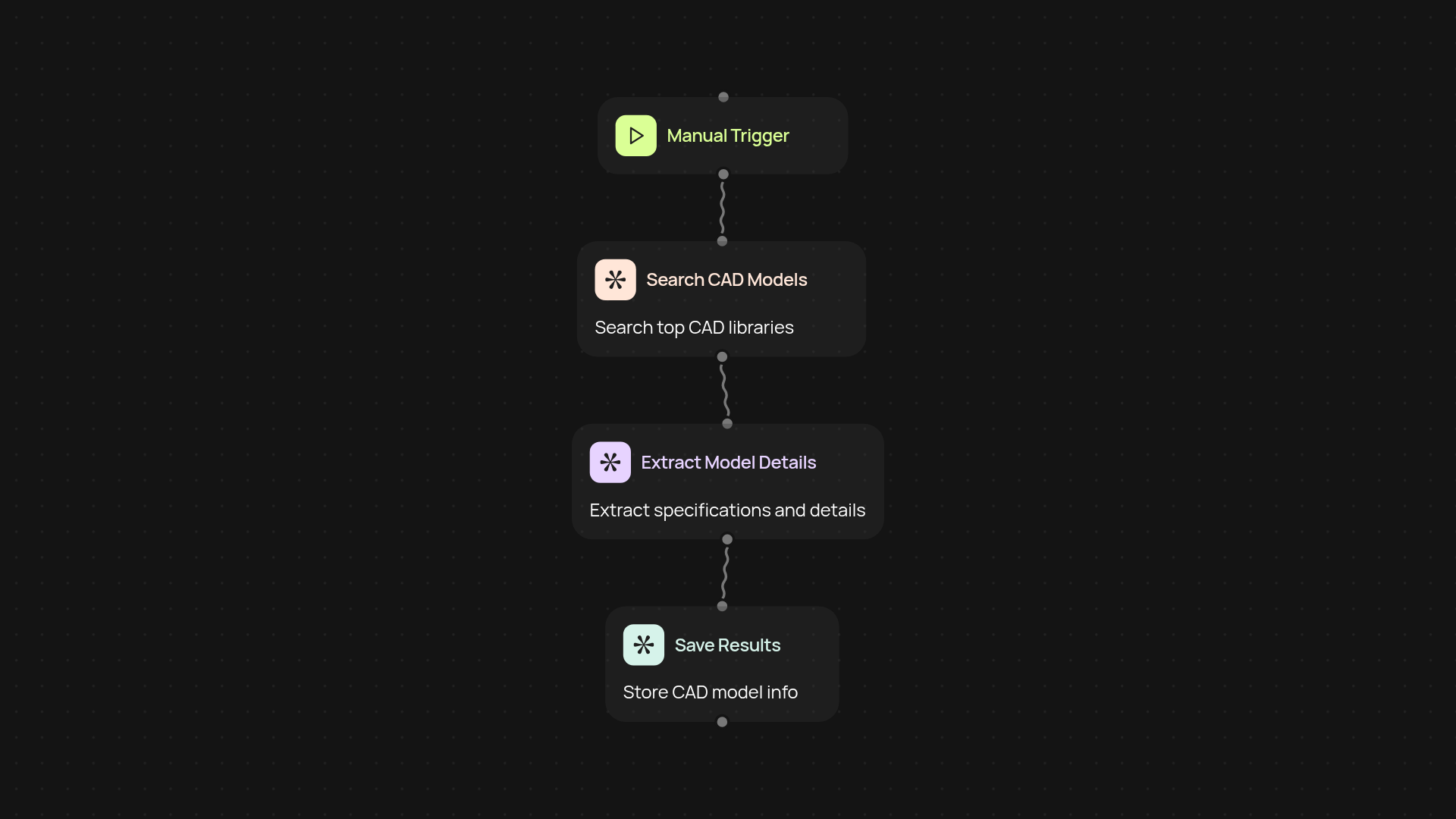
What does the CAD Model Finder do for you?
CAD Model Finder searches through major CAD libraries to track down 3D models you need. You just set your criteria, and the process runs in the background. It finds matching models, pulls details and technical data, then neatly organizes everything for your review. No more bouncing across multiple catalog sites or copying specs by hand—everything arrives ready for your project.
How does it quickly gather accurate CAD model info?
First, it crawls leading CAD repositories, scraping model listings that fit your search. Next, it uses advanced AI to extract structured details—like part numbers, specs, manufacturer, and preview images. Each result comes with key information you can act on without sifting through clutter or wasting time on irrelevant options.
Can I trust results to be up-to-date and relevant?
Yes. The finder checks live data every run, so you only see current models. It analyzes each result automatically, helping you avoid outdated parts or incomplete listings. With AI extracting structured details, you get usable data the moment results arrive.
How do you set it up and what do you need?
Get started in minutes—simply add your keywords and set your search criteria. Guided setup required. Once activated, you’ll begin seeing curated CAD model lists appear after setup and review. Perfect for engineers and designers who want to move faster and skip tedious research.
More templates
Get started today
Your first workflow is free to build.
Describe what you need. Cody handles the build, the connections, and the deployment.