Bug Report to Jira Automation — turn reports into tickets without manual work
Extract bug details, notify teams, and create Jira tickets automatically. Streamline your bug tracking with this CodeWords template.
Example starting point only. Verify every connection and any sending, booking, inventory, approval, or handoff action before deployment.
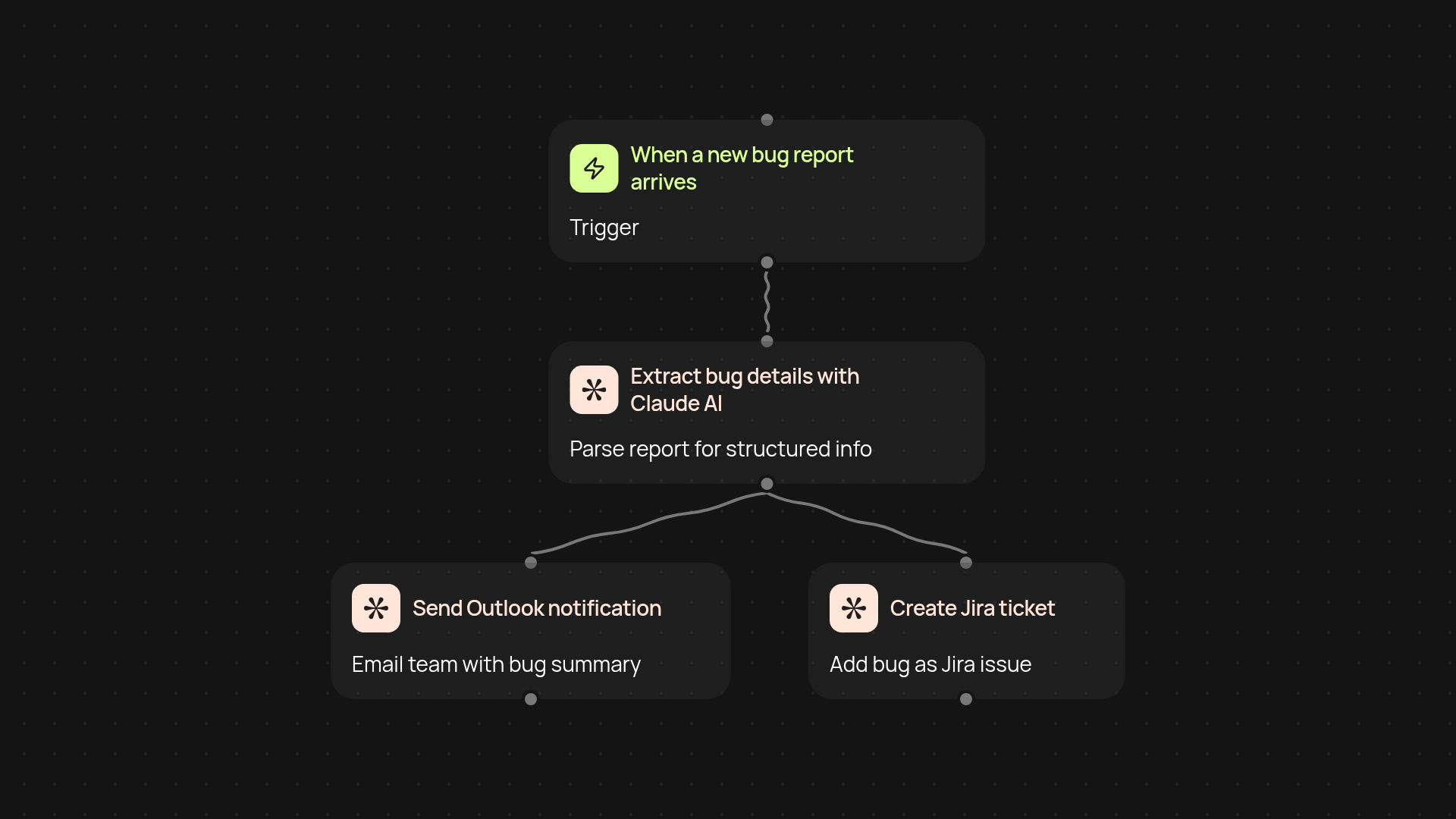
How does this bug report automation work from start to finish?
Bug Report to Jira Automation takes the hassle out of tracking bugs. Whenever a new bug report comes in, this workflow extracts all the key details for you, notifies your team in Outlook, and creates a structured Jira ticket—no more digging through emails or copying data between tools. Your team can stay focused while issues get logged cleanly and consistently.
How does it turn unstructured bug reports into Jira tickets?
Right upfront, the template uses Claude's AI skills to pull details like error messages, steps to reproduce, and severity from each bug submission. The extracted information is instantly formatted for Jira, ensuring nothing slips through the cracks when your engineers pick up new tickets.
How will my team know about new bugs?
Your team gets Outlook notifications sent directly to their inbox each time a new Jira ticket is created. This keeps everyone in sync and makes sure urgent issues aren’t missed, without anyone needing to monitor Jira or dig for updates in their inbox.
What do I need to get started and how is it set up?
You’ll need access to Outlook for notifications, a Jira account for issue tracking, and the ability to receive bug reports—such as a form, shared mailbox, or app-specific channel. Simply connect your Jira and Outlook accounts, set up your bug submission trigger, and you’re ready to let the workflow run in the background. No coding required.
More templates
Get started today
Your first workflow is free to build.
Describe what you need. Cody handles the build, the connections, and the deployment.