Breaking news video generator — create news-style videos from narration
Turn narration into professional breaking news videos automatically. Create share-ready news videos automatically with Veo 3.1 and AI.
Example starting point only. Verify every connection and any sending, booking, inventory, approval, or handoff action before deployment.
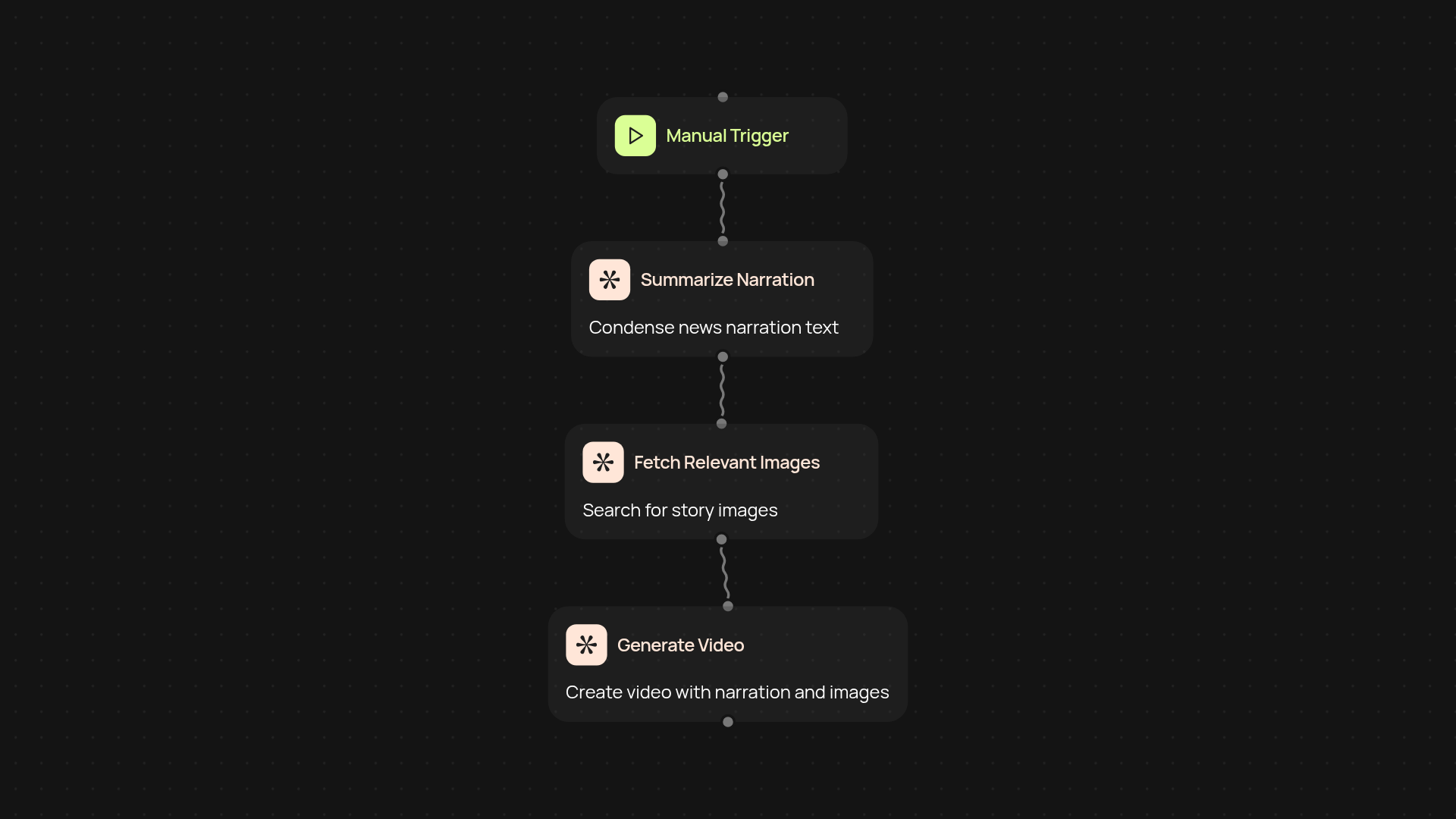
How does the breaking news video generator work from start to finish?
In just a few clicks, your audio narration is transformed into a polished breaking news video — perfect for rapid updates, announcements, or social media broadcasts. The breaking news video generator listens to your audio, analyzes the key points, and instantly creates a dynamic, headline-ready video with news-style graphics, visuals, and captions. All you have to do is provide your narration. The AI takes care of writing, editing, and assembling everything behind the scenes. You’ll have a professional video, ready to share, after setup and review.
How does it make my news updates stand out?
The tool automatically adds bold headlines, engaging visuals, and on-brand news effects to every video. This helps your stories grab attention — even if you’re not a designer or video editor. The result? More polished updates, greater viewer trust, and consistent brand presence for every message you share. Your team can publish content faster, while maintaining newsroom quality every time.
What’s required to turn narration into video automatically?
Just your audio narration file and a moment to start the process. Everything else is handled in the background. There’s no special training or editing skills needed. Once set up, you can generate videos for announcements, launches, alerts, or trending stories automatically. If you want breaking news videos ready when your story is hot, this is all you need.
How do I set up and start generating news videos?
Setup is simple — upload your narration, choose your news video style, and click to start. The breaking news video generator takes it from there. You’ll get a preview and can download or share the video in moments. To begin, make sure you have your audio content ready. That’s it. You’re just one step away from automatically, professional breaking news videos.
Get started today
Your first workflow is free to build.
Describe what you need. Cody handles the build, the connections, and the deployment.