Blog monitor with Slack + Discord relay — avoid missing a post
Track new blog posts and instantly share top articles from Slack to Discord. Automate blog monitoring with Firecrawl and keep your team in the loop.
Example starting point only. Verify every connection and any sending, booking, inventory, approval, or handoff action before deployment.
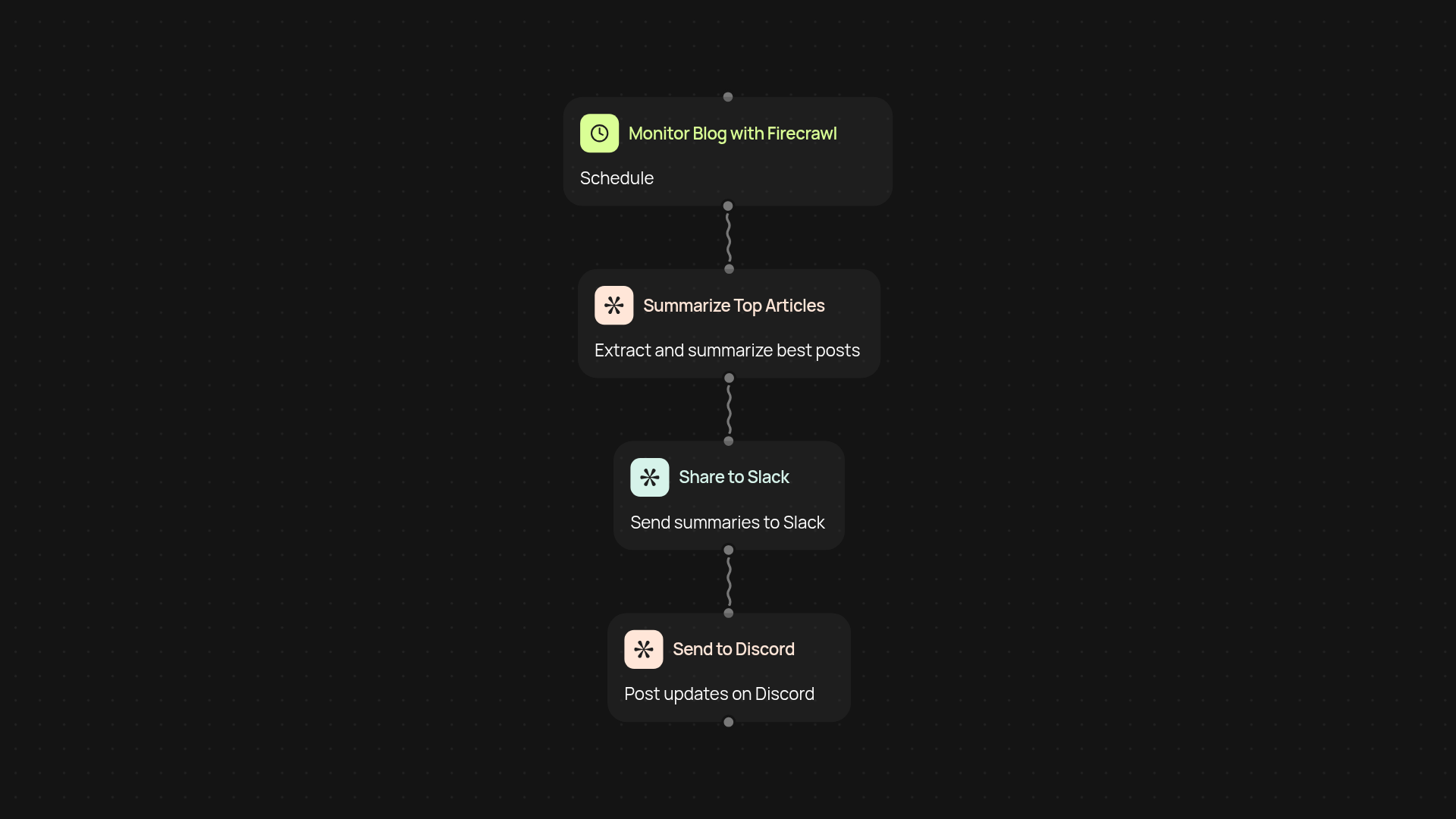
How does this blog monitor keep your team updated — automatically?
Get blog updates where your team already works. This template scans your favorite blogs for new articles and alerts the right Slack channel as soon as they're published. If someone in Slack 'stars' a post by reacting, it relays the article directly to Discord—keeping everyone in sync, no matter their platform.
What makes this blog monitoring continuous?
The entire workflow runs quietly in the background. You don't need to copy links or manually post announcements. New blog articles trigger notifications in Slack, and standout posts get highlighted again in Discord—without you lifting a finger.
Can I tailor which posts get sent to Discord?
Yes. Only posts that a team member marks with a specific reaction on Slack are forwarded on. This way, your Discord community gets the best picks, not just every update. You control what gets extra attention, making your channels more relevant and less noisy.
How easy is it to set up?
You’ll need access to the blogs you want to monitor, and active Slack and Discord accounts. Just connect your Firecrawl, Slack, and Discord integrations inside CodeWords. Pick the blogs you want scanned, set your channels, and choose your favorite Slack reaction to trigger Discord sharing. The rest runs automatically.
More templates
Get started today
Your first workflow is free to build.
Describe what you need. Cody handles the build, the connections, and the deployment.