Audio to Video Highlights — turn audio into cinematic video summaries
Transform audio into cinematic 1080p video highlights with custom styles—no manual editing required. Create engaging summaries from podcasts, calls, webinars and more.
Example starting point only. Verify every connection and any sending, booking, inventory, approval, or handoff action before deployment.
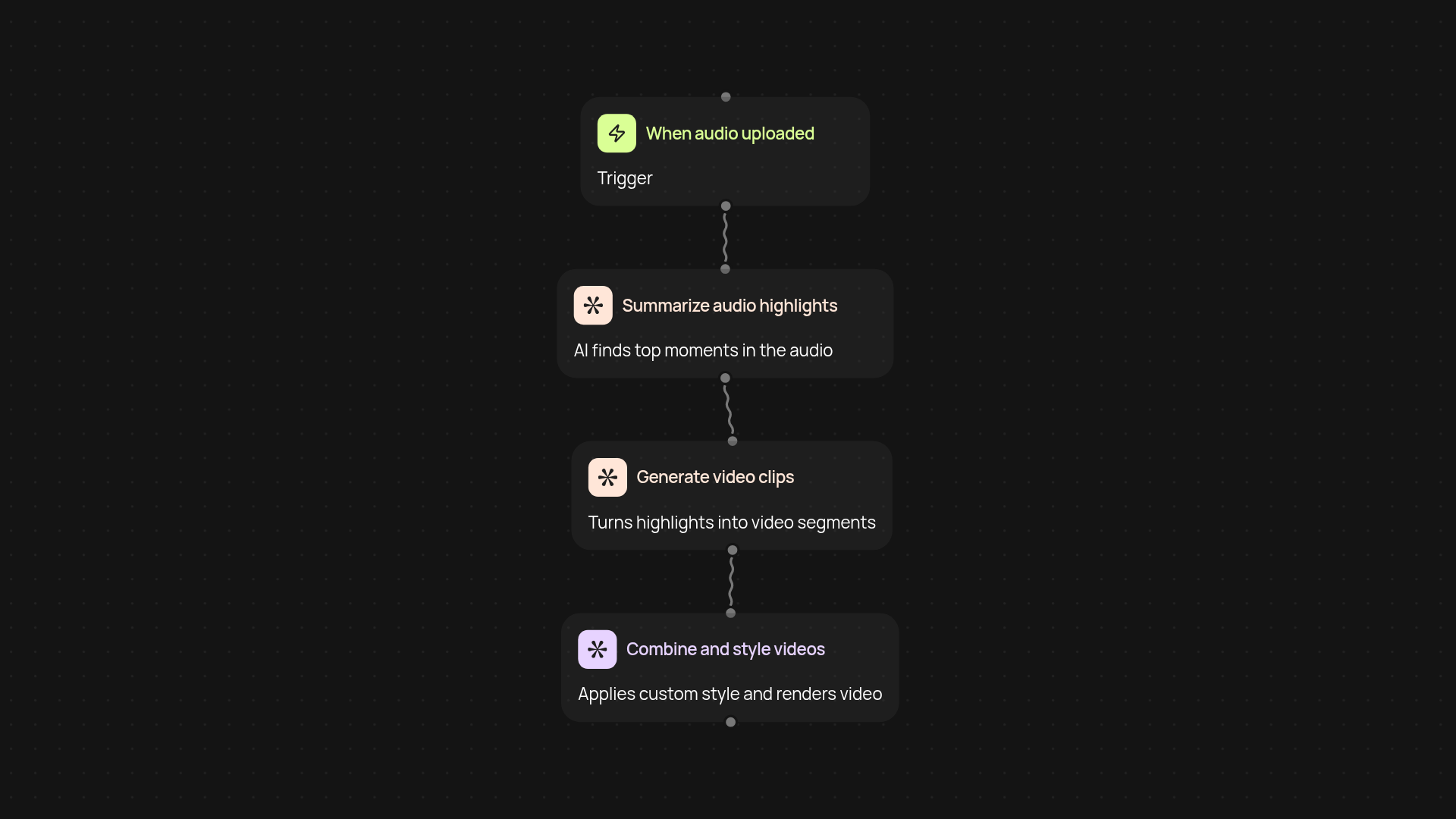
How does audio to video highlights work end-to-end?
Audio to Video Highlights takes any audio file—from podcasts to meeting recordings—and turns it into captivating 1080p video summaries, complete with customizable visual styles. Simply upload your audio, choose from a range of visual templates, and watch as key segments are instantly transformed into shareable video highlights. Everything runs in the background, freeing you from editing or technical setup.
How are the most important moments selected?
The service analyzes your audio using AI to detect the most compelling or relevant segments. It picks out highlights based on spoken emphasis, topic shifts, and conversational cues to ensure your resulting video showcases the best parts without you having to listen through the full recording. You get polished highlights and more engagement—after setup and review.
Can I customize how my video looks?
Yes. You can pick from a range of visual styles, overlays, and effects to match your brand or mood. Whether you want sleek captions, dramatic transitions, or branded fonts, you have the flexibility to make each highlight video suit your needs—no editing skills required.
What do I need to get started?
All you need is an audio file and your visual style preferences. Just upload your recording and set your customization options. The rest happens automatically. No software installs or design experience necessary—get professional video highlights from your audio in minutes.
Get started today
Your first workflow is free to build.
Describe what you need. Cody handles the build, the connections, and the deployment.