Audio Highlights Video Generator — turn audio into cinematic video
Transform any audio file into stunning video highlights. Automatically analyze, extract, and visualize key moments. Perfect for podcasts, talks, and more.
Example starting point only. Verify every connection and any sending, booking, inventory, approval, or handoff action before deployment.
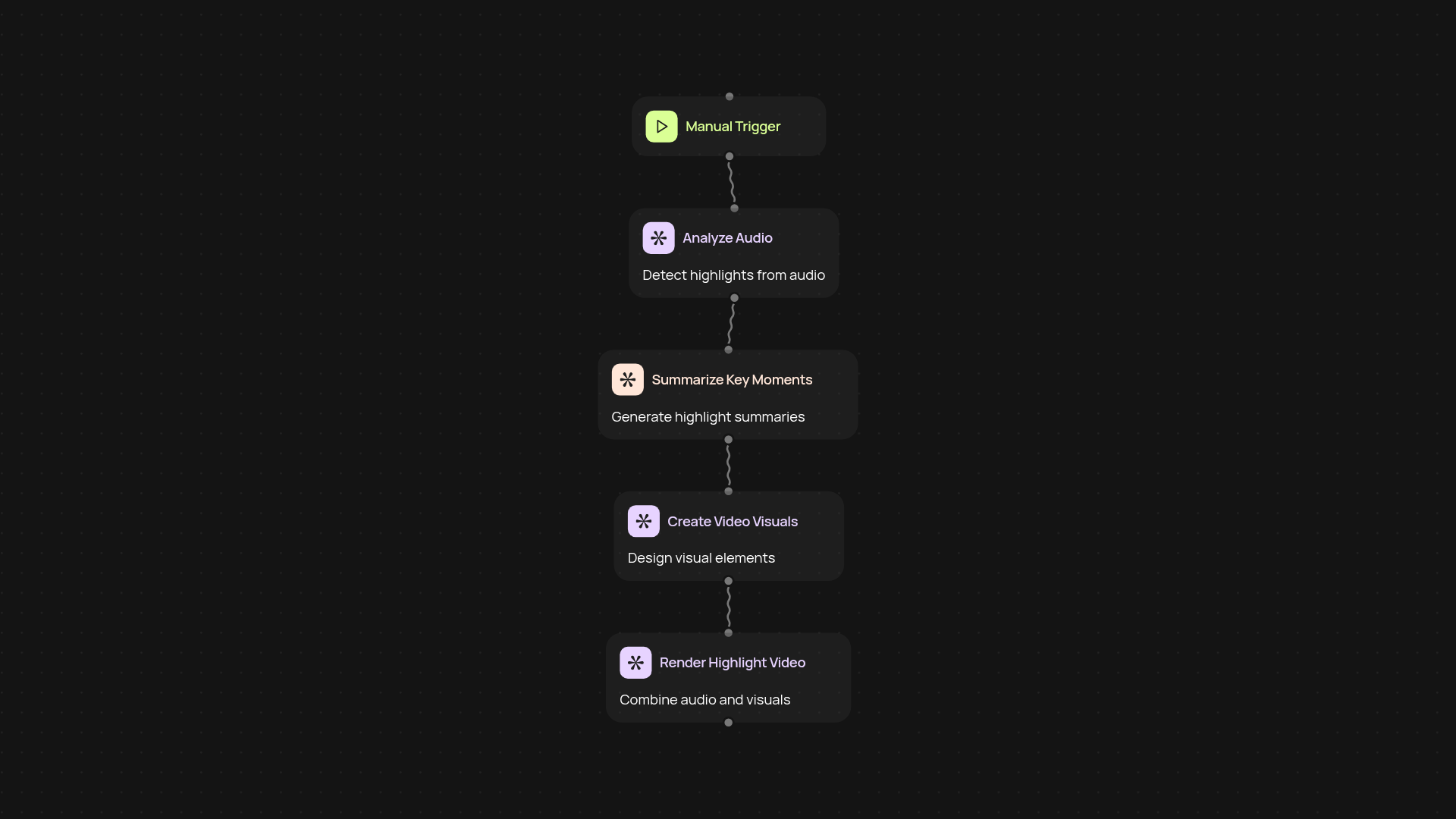
How does the audio highlights video generator work?
This template instantly transforms your audio files into visually engaging highlight videos. Upload your audio — podcasts, interviews, or recordings — and let CodeWords handle everything automatically. Advanced AI listens in, identifies meaningful segments, then uses Whisper for transcription and Veo 3.0 to create cinematic video scenes. The result: shareable, polished highlight clips without manual editing.
How are key moments identified and visualized?
AI models scan your audio to find moments with the most impact — from dramatic pauses to energetic shifts in tone. These sections are transcribed and summarized, making it easy to understand what’s being featured. Veo 3.0 then builds a visual story around these highlights, giving each key moment a fitting cinematic look.
What audio formats and content can I use?
You’re free to upload most common audio file types — like MP3 or WAV. This works well with long-form content, such as webinars, interviews, podcasts, and talks. If you’ve got audio with rich storytelling or important information, this template will turn it into captivating video clips in the background.
How do I set up audio-to-video automation?
Getting started is simple. Just pick your trigger: upload an audio file or schedule recurring uploads. Connect your audio storage (Google Drive, Dropbox, or local upload) and you’re ready to go. No video editing skills required — just let CodeWords work its magic and receive your ready-to-share highlight reels.
Get started today
Your first workflow is free to build.
Describe what you need. Cody handles the build, the connections, and the deployment.