Attio to Mailchimp sync — keep contacts up to date
Effortlessly sync Attio CRM person records with Mailchimp audiences. Keep your email lists fresh—without manual copy-paste. Save hours each week.
Example starting point only. Verify every connection and any sending, booking, inventory, approval, or handoff action before deployment.
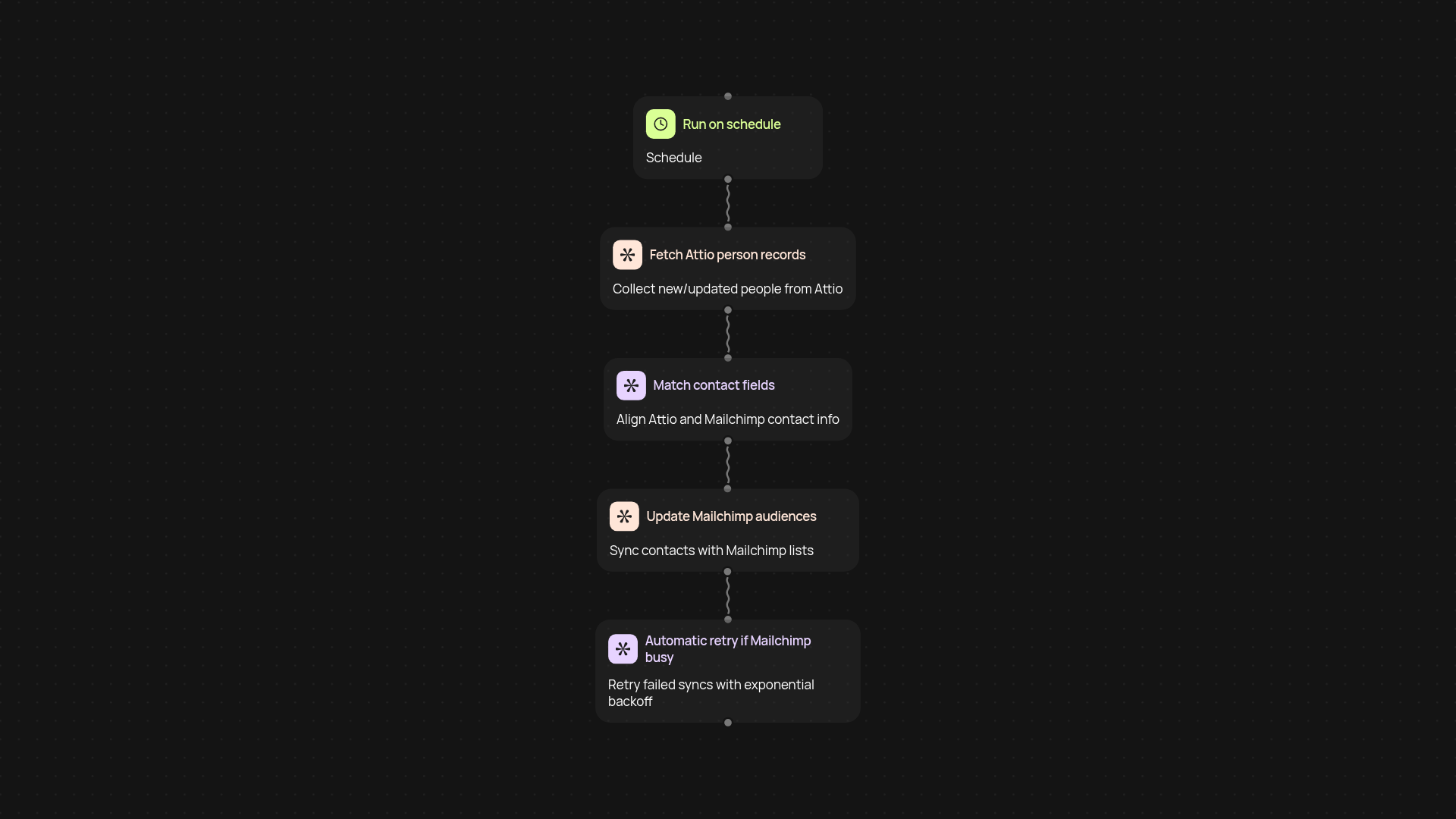
How does this Attio to Mailchimp sync work?
All of your Attio CRM person records are sent directly to your Mailchimp lists—without any copy-pasting. Whenever there’s a new person in Attio, this automation finds them, transfers their details, and updates your chosen Mailchimp audience. If something fails, it tries again with smart retry logic. The result? Your newsletter lists always reflect your actual CRM.
How does it keep my Mailchimp lists current?
This template checks for new or updated person records in Attio on a regular schedule. If it finds a change, the relevant contact information is instantly matched and pushed over to Mailchimp. That means your campaigns always go to the right people, and you never have to worry about entering addresses by hand.
Can I trust it to keep syncing, even if Mailchimp is busy?
Yes—it’s designed to try again automatically if Mailchimp is busy or if there’s an error transferring a record. The built-in exponential backoff system handles retries in the background, reducing the chance of missing data no matter what’s happening with Mailchimp’s service.
What do I need to set this up?
Just your Attio CRM and a Mailchimp account. Start the sync on a schedule or whenever a new record is added in Attio. CodeWords guides you through connecting both services and selecting your Mailchimp audience. You don’t need to set up manual exports or complex systems—just link, pick your lists, and let it run automatically.
Get started today
Your first workflow is free to build.
Describe what you need. Cody handles the build, the connections, and the deployment.