ATS Resume Optimizer — improve your resume instantly
Check your resume for ATS compatibility and get actionable recommendations with keyword and formatting analysis. Improve your resume in minutes.
Example starting point only. Verify every connection and any sending, booking, inventory, approval, or handoff action before deployment.
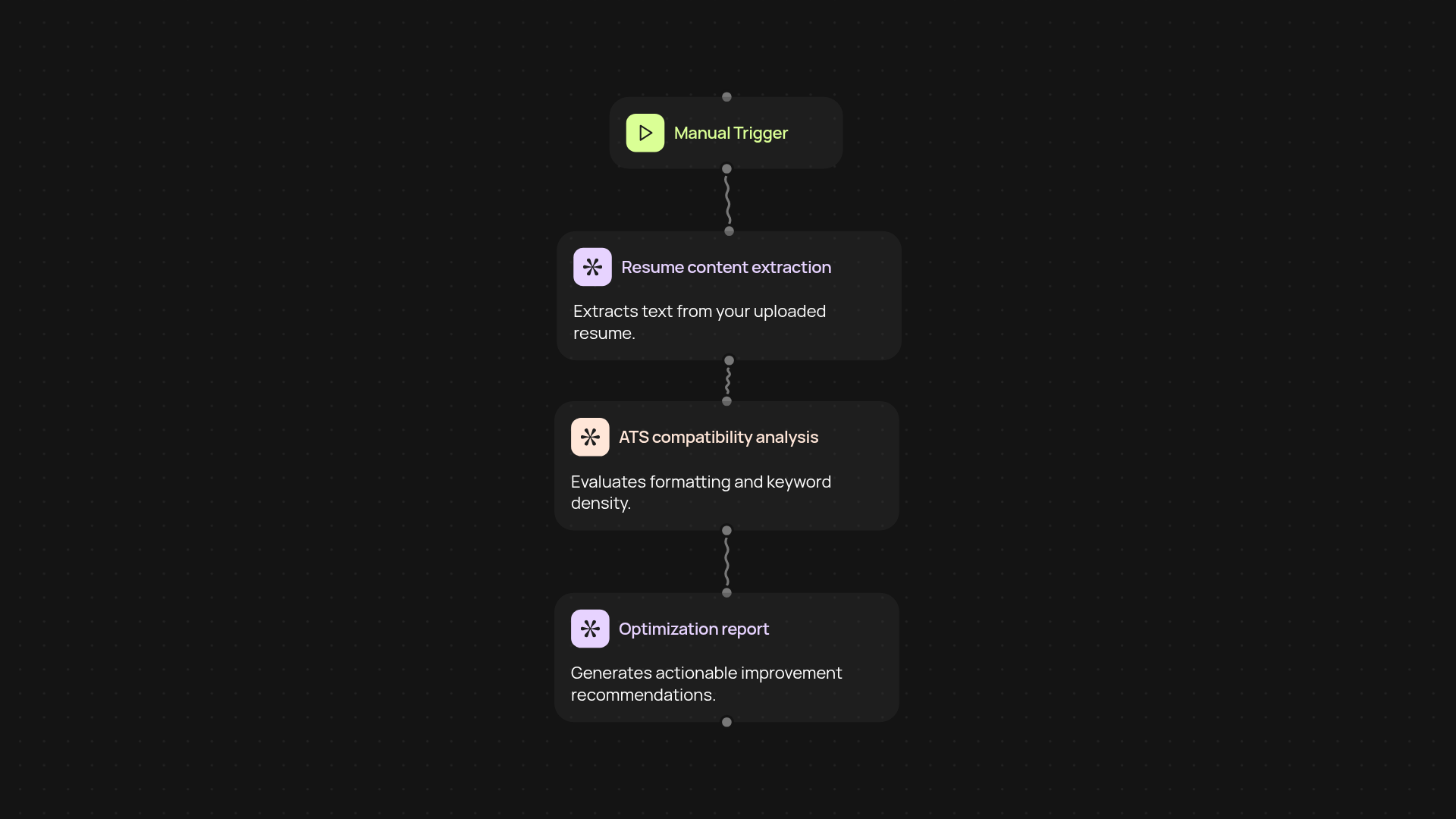
How can you check ATS compatibility in seconds?
The ATS Resume Optimizer reviews your resume and tells you how it stacks up against applicant tracking systems (ATS) — instantly. Just upload your document and let the tool analyze it in the background. No more guessing: you get clear feedback on what might stop your resume from making it to the next step.
How does this tool recommend improvements?
You’ll receive easy-to-follow guidance based on expert hiring criteria. The optimizer reviews keyword density, formatting, and structure, giving you automatic feedback and practical steps to increase your chances of getting noticed by recruiters. Everything is explained in simple language, so you know exactly what to change — and why.
How does it find the right keywords for your role?
The tool evaluates your existing resume against relevant role-based keywords, highlighting areas where additional keywords may help you get picked up by ATS scanning software. You’ll see a breakdown of which industry terms and skills you already include and which you might be missing, all after setup and review.
What do you need to get started?
All you need is your resume file. Upload your document and follow the prompts. There’s no setup or technical know-how required — just actionable insights, right when you need them. Review your results, make the recommended tweaks, and put your best foot forward with every job application.
Get started today
Your first workflow is free to build.
Describe what you need. Cody handles the build, the connections, and the deployment.