Airtable Menu Image Generator — professional food photos
Generate professional food photography for all your menu items in Airtable. Instantly create high-quality images with Imagen 4—no manual design work needed.
Example starting point only. Verify every connection and any sending, booking, inventory, approval, or handoff action before deployment.
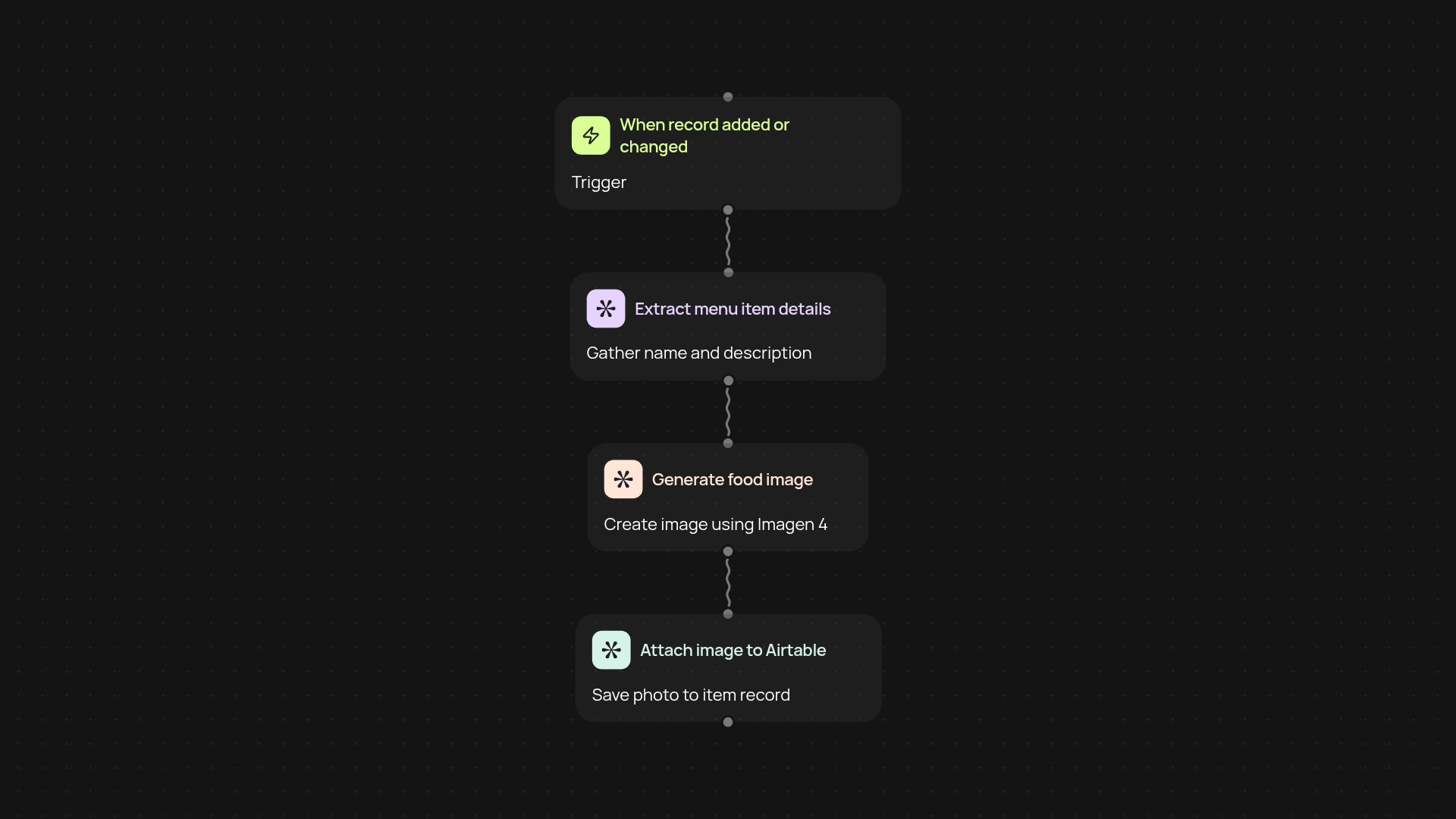
How does the Airtable menu image generator work?
This template lets you transform text menu items in Airtable into stunning, professional food photography in just minutes. Every time you add a new item or update your menu, Imagen 4 creates fresh, high-quality images—no manual design or sourcing required. You keep your menu looking sharp and up to date, with less effort than ever before.
Can it handle updates and new menu items automatically?
Yes—the image generation kicks in whenever a new row appears in your menu Airtable base or a menu item is changed. Background automation means your images always match your current offerings, so your digital and printed menus stay consistent without extra work. Managing a large menu or changing offerings becomes much simpler and more reliable.
What results can I expect from generated images?
Your menu items are represented by realistic, high-resolution images styled for professional use. They look great on websites, apps, and social media—matching the quality you’d expect from professional food photography. You'll eliminate the hassle of photoshoots while presenting dishes that attract more customers.
How do I set it up and what do I need?
Getting started is easy. You’ll need an Airtable account with your menu data and access to the Imagen 4 food photography API. Simply connect your base, define your menu item columns, and this template takes care of the rest. Once set up, the automation runs in the background and requires reduced manual intervention—just add or update menu items and let the system do the rest.
Get started today
Your first workflow is free to build.
Describe what you need. Cody handles the build, the connections, and the deployment.