Airtable LinkedIn enrichment — fresh LinkedIn data for your contacts
Automatically update Airtable contacts with LinkedIn profile info. Surface job titles, companies, and fresh details using CodeWords.
Example starting point only. Verify every connection and any sending, booking, inventory, approval, or handoff action before deployment.
What does the Airtable LinkedIn enrichment template do?
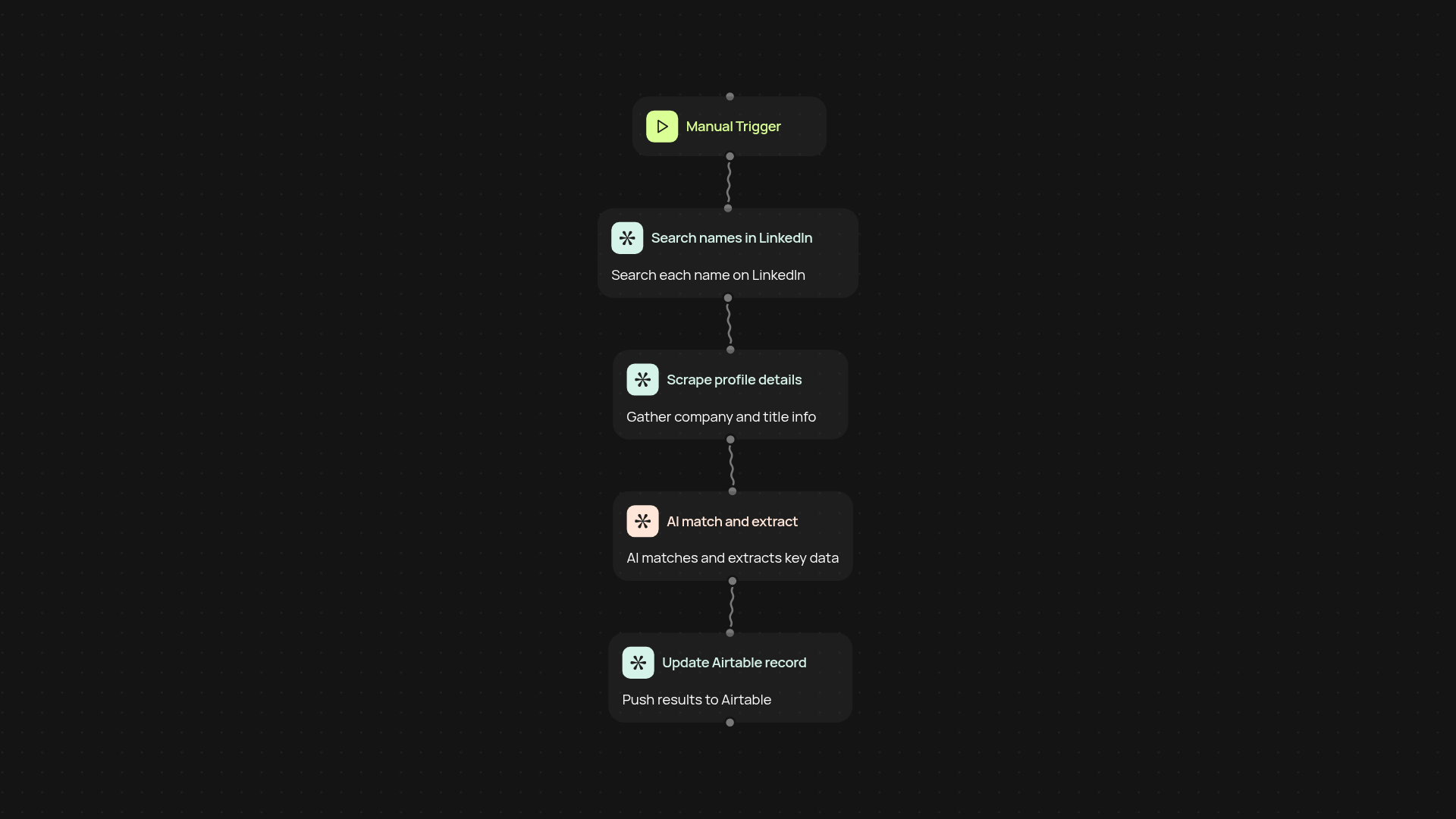
This template updates your Airtable contact lists with the latest LinkedIn profile data—without manual searching. It finds matching LinkedIn profiles for each contact, pulls in up-to-date company and title details, and adds them to your Airtable base. The whole process runs in the background, freeing you from repetitive research and manual data entry.
How does it find the right LinkedIn profiles?
First, it scans each contact's name in Airtable and searches LinkedIn for possible matches. Using AI scraping, it reviews profile details to pick the most relevant one. Then, it extracts employer names and job titles, even if the contact has changed jobs. It makes sure you always have current information—important for outreach or lead tracking.
What LinkedIn information gets added to Airtable?
The template fills out company, position, and profile links automatically. You can set it to update existing contact rows or create new ones for fresh prospects. All updates arrive organized and automatically, saving you hours of manual work each week.
How do you set it up and what do you need?
Just connect your Airtable account and add the CodeWords Chrome extension. You'll need a LinkedIn account you’re currently logged into. Select your Airtable base and run the workflow when you want fresh data. It’s ready for you to use—no technical background needed.
More templates
Get started today
Your first workflow is free to build.
Describe what you need. Cody handles the build, the connections, and the deployment.