AI video editor — highlight your best moments automatically
AI video editor finds your videos’ most engaging moments and creates ready-to-share highlights — no manual trimming needed.
Example starting point only. Verify every connection and any sending, booking, inventory, approval, or handoff action before deployment.
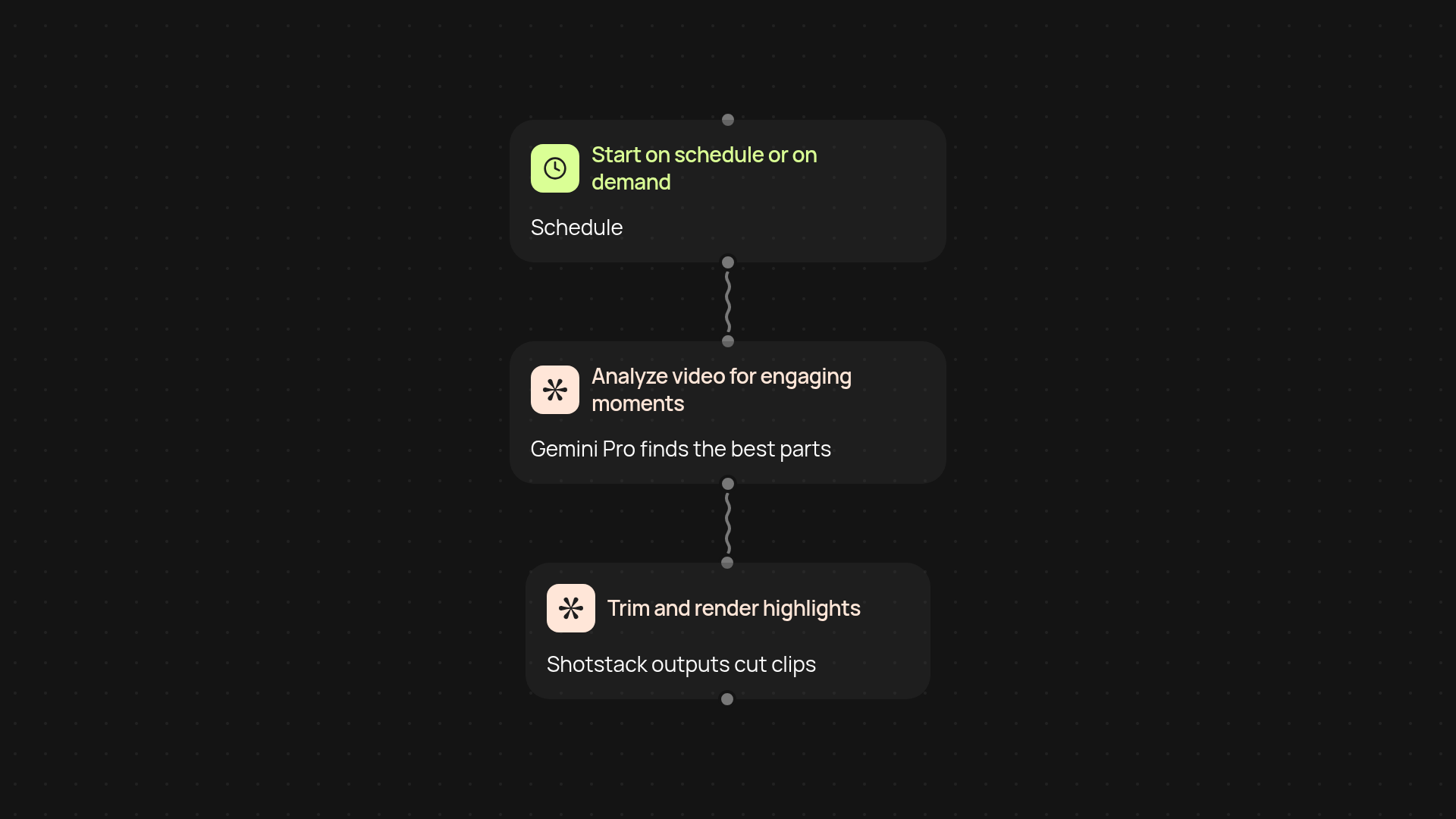
How does the AI video editor turn hours of footage into highlights?
Upload your raw video and let CodeWords do the heavy lifting. The AI video editor scans the entire file, pinpoints the parts with the most action, emotion, or audience interest, then trims it to a highlight reel. You’ll get shareable clips without spending hours in editing software or scrubbing through footage frame by frame.
How does it know which moments are most engaging?
The editor uses Gemini Pro’s advanced understanding to recognize excitement, laughter, applause, and key moments. It assesses audio and visual cues — not just simple scene changes — to select segments viewers will actually love. You end up with highlights that truly capture what matters, all picked for you in the background.
Can I use it for team meetings, content, or social media?
Absolutely. Whether it’s a product demo, company all-hands, or a vlog, the AI video editor transforms long videos into sharp, shareable snippets for your marketing, internal updates, or socials. No need for technical skills — just upload and let it work automatically.
How do I get started and what do I need?
To begin, select your video and connect your Shotstack account. The template starts with a manual run or a scheduled trigger. Everything else happens for you: AI analysis, cut selection, and final highlight rendering. You’ll be ready to share the best moments — no editing experience required.
Get started today
Your first workflow is free to build.
Describe what you need. Cody handles the build, the connections, and the deployment.