AI video content pipeline — create and publish trending videos automatically
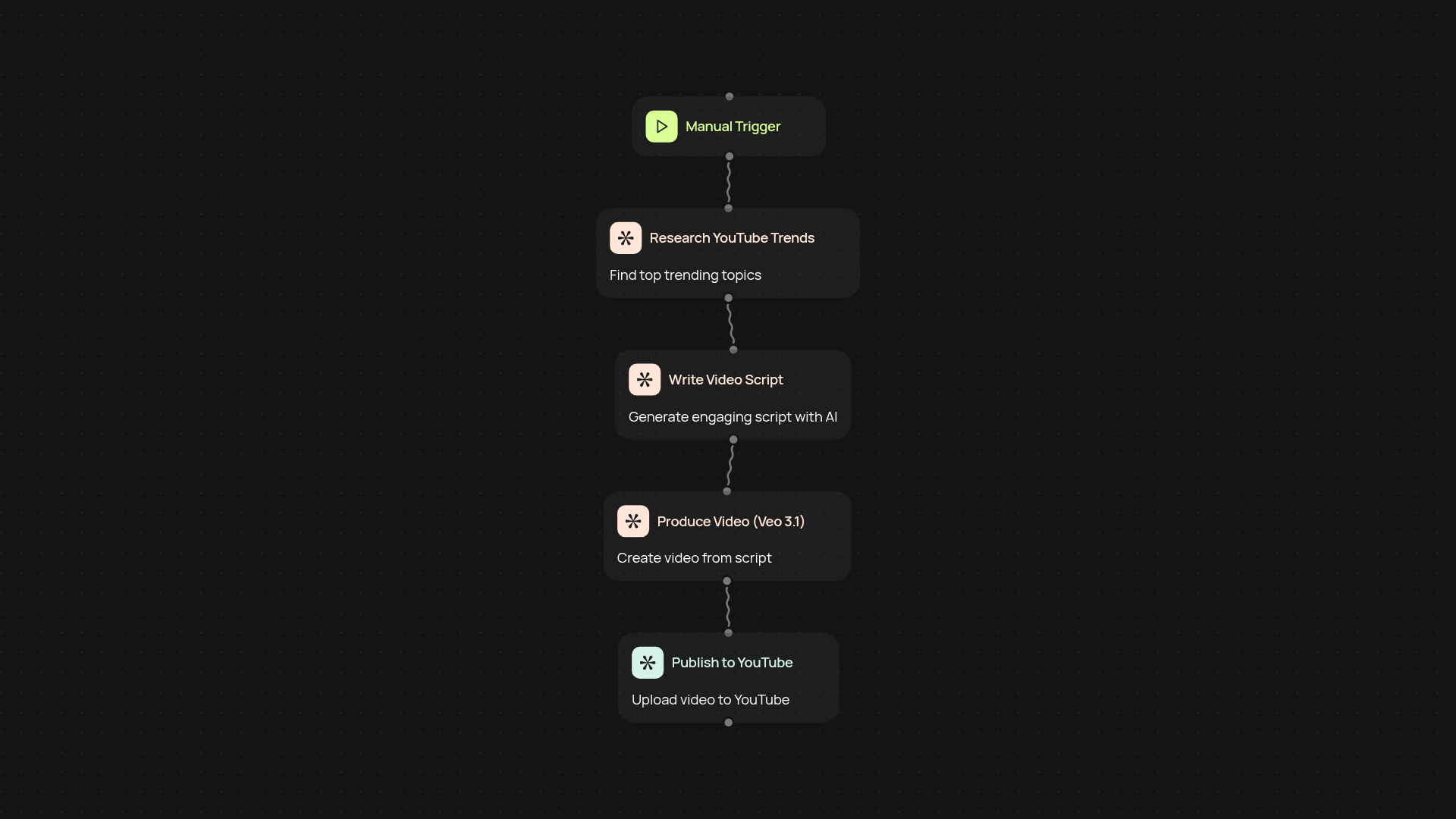
Instantly generate YouTube videos on trending topics. Research, write scripts, produce videos with Veo 3.1, and publish—all automatically.
Example starting point only. Verify every connection and any sending, booking, inventory, approval, or handoff action before deployment.
How does the AI video content pipeline work end-to-end?
This template takes you from idea to published YouTube video without manual work. It researches trending topics, crafts an engaging script, produces a video with Veo 3.1, and uploads it straight to your channel—so you spend less time and reach more viewers. Every stage, from research to YouTube publish, happens in the background. Just set your parameters and let the pipeline do the rest.
How are trending topics and scripts generated for each video?
Trending topics are found instantly using AI analysis of what's popular now. For each topic, a unique script is created, tailored for your audience and platform. No brainstorming or outlining—just fresh, relevant content prepared for you. This way, your channel keeps up with the latest moments automatically.
How is the video produced and published on YouTube?
Once your script is ready, Veo 3.1 transforms it into a polished video, ready for your audience. The video file is then automatic published straight to your YouTube channel—no extra steps or manual uploads. This delivers content to your audience faster, so you are less likely to miss a trend.
What do you need to get started with this template?
You'll need a Veo 3.1 account, a YouTube channel, and basic setup time. Connect your accounts just once; after that, video creation and publishing run automatically. Start scaling your video presence after setup and review.
Get started today
Your first workflow is free to build.
Describe what you need. Cody handles the build, the connections, and the deployment.