AI user onboarding automation — smarter onboarding
Instantly classify new users with AI, log onboarding to Google Sheets, send Slack messages, and notify by email — no manual work.
Example starting point only. Verify every connection and any sending, booking, inventory, approval, or handoff action before deployment.
What does this ai user onboarding automation do for you?
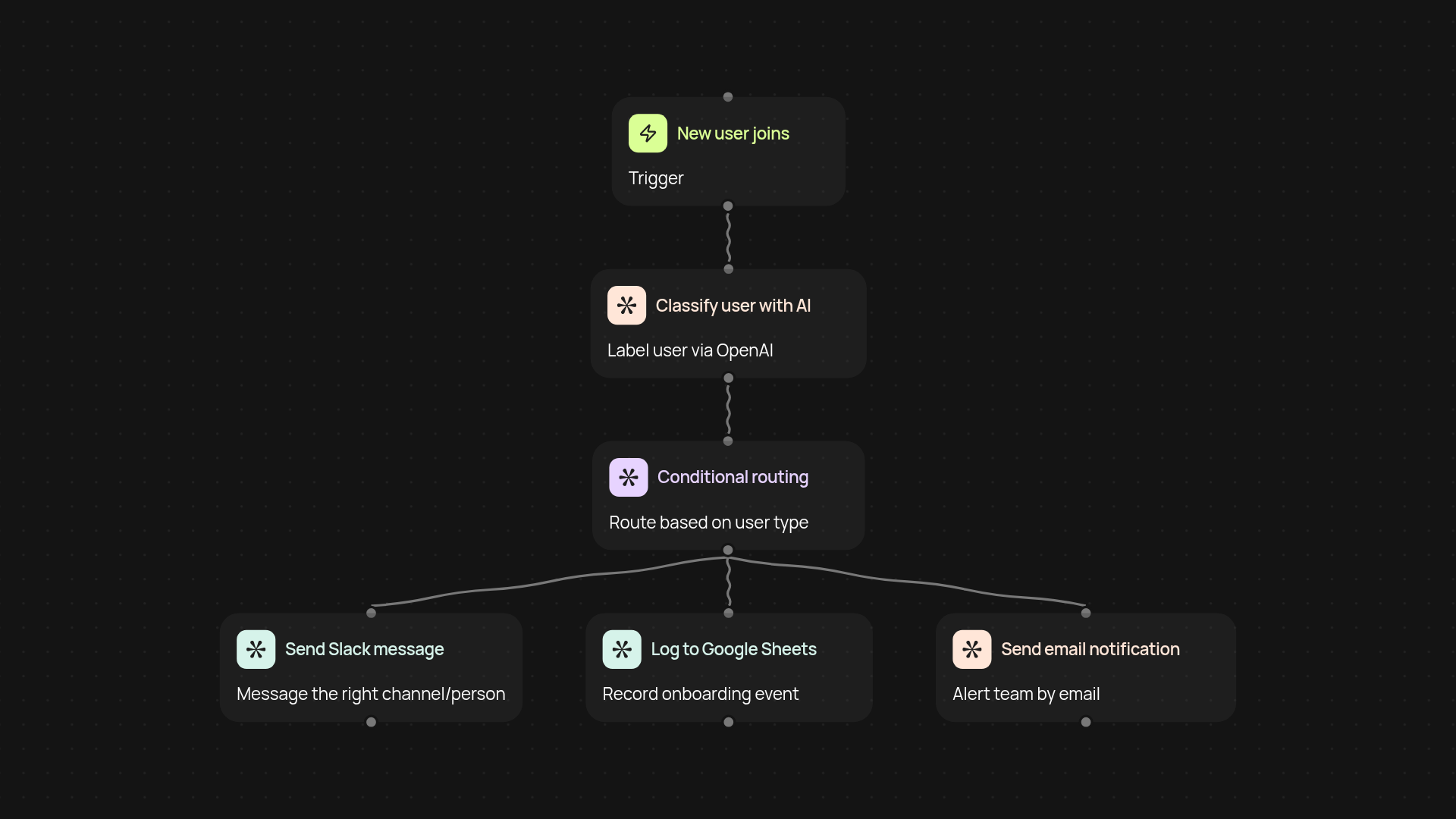
This template puts your entire user onboarding flow automatically. New users are instantly classified with AI, then handled with no manual steps — from sending Slack welcomes and logging to Google Sheets to making sure everyone gets notified by email. You save hours each week while nothing gets missed or delayed.
How are users classified and handled automatically?
First, every new user trigger sets things in motion. With CodeWords' built-in AI, users are analyzed and labeled on the spot. Based on each classification (customer, partner, etc.), custom actions are fired — like specific Slack channel messages, personal greetings, or next-step reminders. All the details are recorded to Google Sheets to keep your records up to date after setup and review.
How are Slack messages and emails triggered?
The AI decides which Slack channel or person should receive a message, then sends it out — reducing complexity for you. At the same time, key teammates are notified instantly by email so no one’s left out. Each onboarding event is tracked for accountability, giving you a complete picture with reduced manual copying or forwarding.
What is needed to set up and get started?
You’ll only need access to your Slack, Google Sheets, and email accounts. With a few clicks, connect your accounts and choose how users should be classified and routed. The process is quick — you can start onboarding with AI-driven precision right away. No coding or complicated setup required.
More templates
Get started today
Your first workflow is free to build.
Describe what you need. Cody handles the build, the connections, and the deployment.