AI ticket router — route every support ticket without manual work
AI ticket router automatically sorts and sends support tickets to the right team using Google Sheets, email, and AI—so nothing falls through the cracks.
Example starting point only. Verify every connection and any sending, booking, inventory, approval, or handoff action before deployment.
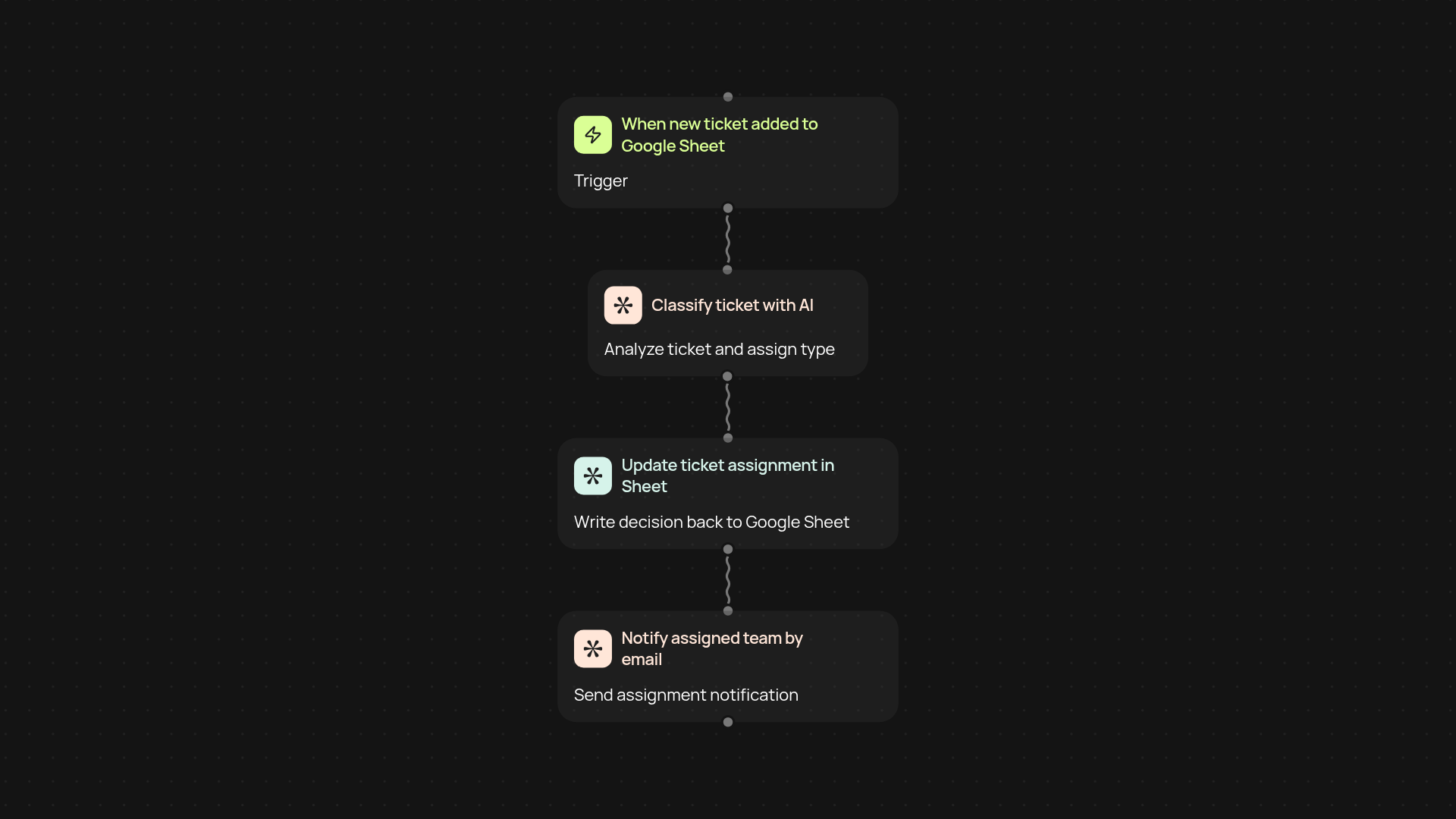
How does AI ticket routing work from start to finish?
The AI ticket router takes new customer support requests, instantly analyzes them, and sends each one to the right team member—without you having to lift a finger. Incoming tickets arrive in your shared Google Sheet, where AI reviews the details, decides who should handle it, and sends an email notification with the assignment. You skip the inbox sorting, guesswork, and follow-ups, so your team can focus on solving issues quickly.
How does AI assign tickets to the right person?
First, the system checks each ticket's subject and description. With language AI, the ticket is classified by type or urgency—then the right team or agent is chosen automatically. These assignments update directly in your Google Sheet, making it easy to track status and see who owns what. Every step happens in the background.
Can I keep my current support tools?
Yes — the AI ticket router fits into what you already use. If your team works out of Google Sheets and email, you won't need to change a thing. All updates arrive where your team already looks, and setup works smoothly with Gmail and Sheets. No new logins or tricky training required.
How do I set up the AI ticket router?
You'll need access to a Google Sheet for support tickets, your team's Gmail accounts for notifications, and a list of assignment rules or teams. Once you connect these, setup only takes a few minutes. From there, AI takes over ticket sorting, and you can make adjustments any time, right from your Sheet.
More templates
Get started today
Your first workflow is free to build.
Describe what you need. Cody handles the build, the connections, and the deployment.