AI Music Video Generator — turn audio into shareable videos
Transform your audio tracks and images into stunning music videos. Use AI to transcribe, analyze, and produce custom video content in minutes.
Example starting point only. Verify every connection and any sending, booking, inventory, approval, or handoff action before deployment.
What does the AI Music Video Generator do from start to finish?
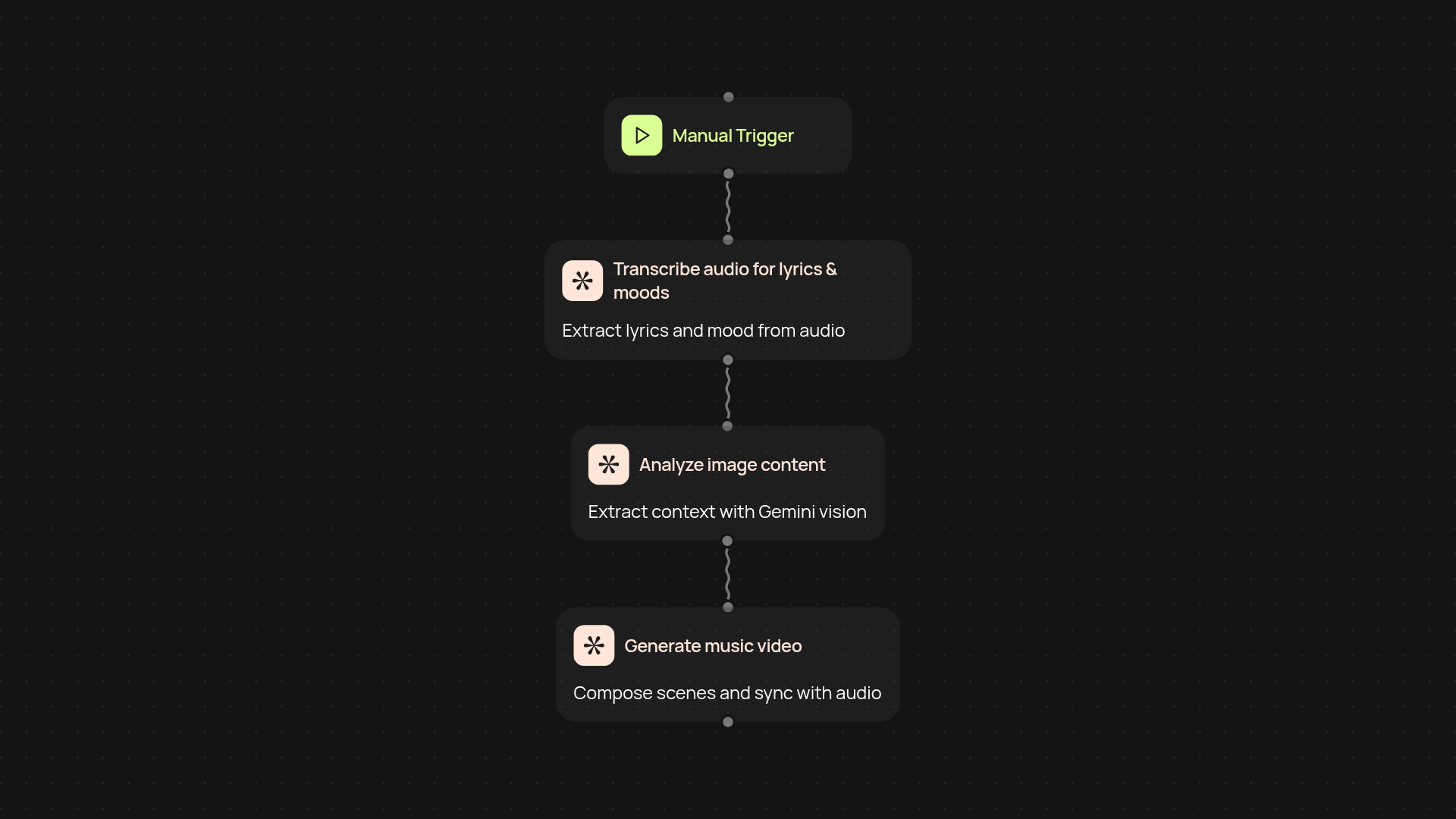
The AI Music Video Generator takes your audio and creates a finished music video after setup and review. You provide the audio track and images—everything else runs automatically. It transcribes your music, analyzes your visual assets using Gemini vision, then produces a complete video with Veo 3.1. The final result is a compelling, shareable music video that syncs sound and visuals effortlessly.
How does the generator match visuals to your music?
First, your audio is transcribed to capture lyrics and mood. Next, Gemini vision digs into your provided images to understand key themes, colors, and contexts. All of this data guides Veo 3.1 as it puts together scenes that follow your music’s progression. Your video isn’t just a slideshow—each segment reacts to the song’s structure and emotion, delivering a tailored video every time.
Can I really create music videos without manual editing?
Absolutely. The entire process runs in the background—just upload your files and the AI handles everything else. No video editing expertise required, no complex software to learn, no timeline scrubbing. You get a polished video ready to share across platforms, faster than ever.
What do I need to get started with the AI Music Video Generator?
All you need is your audio file and a handful of images that match your track’s vibe. Upload them, specify your preferences (like length or pacing), and click start. The automation kicks off from there. In minutes, you’ll have a pro-level music video you can use anywhere you want.
Get started today
Your first workflow is free to build.
Describe what you need. Cody handles the build, the connections, and the deployment.