AI Image Generator Editor — make custom visuals in seconds
Create, edit, and customize images with Gemini 2.5 Flash — no design skills required. Instantly generate and refine visuals for any project.
Example starting point only. Verify every connection and any sending, booking, inventory, approval, or handoff action before deployment.
 Rithul Palazhi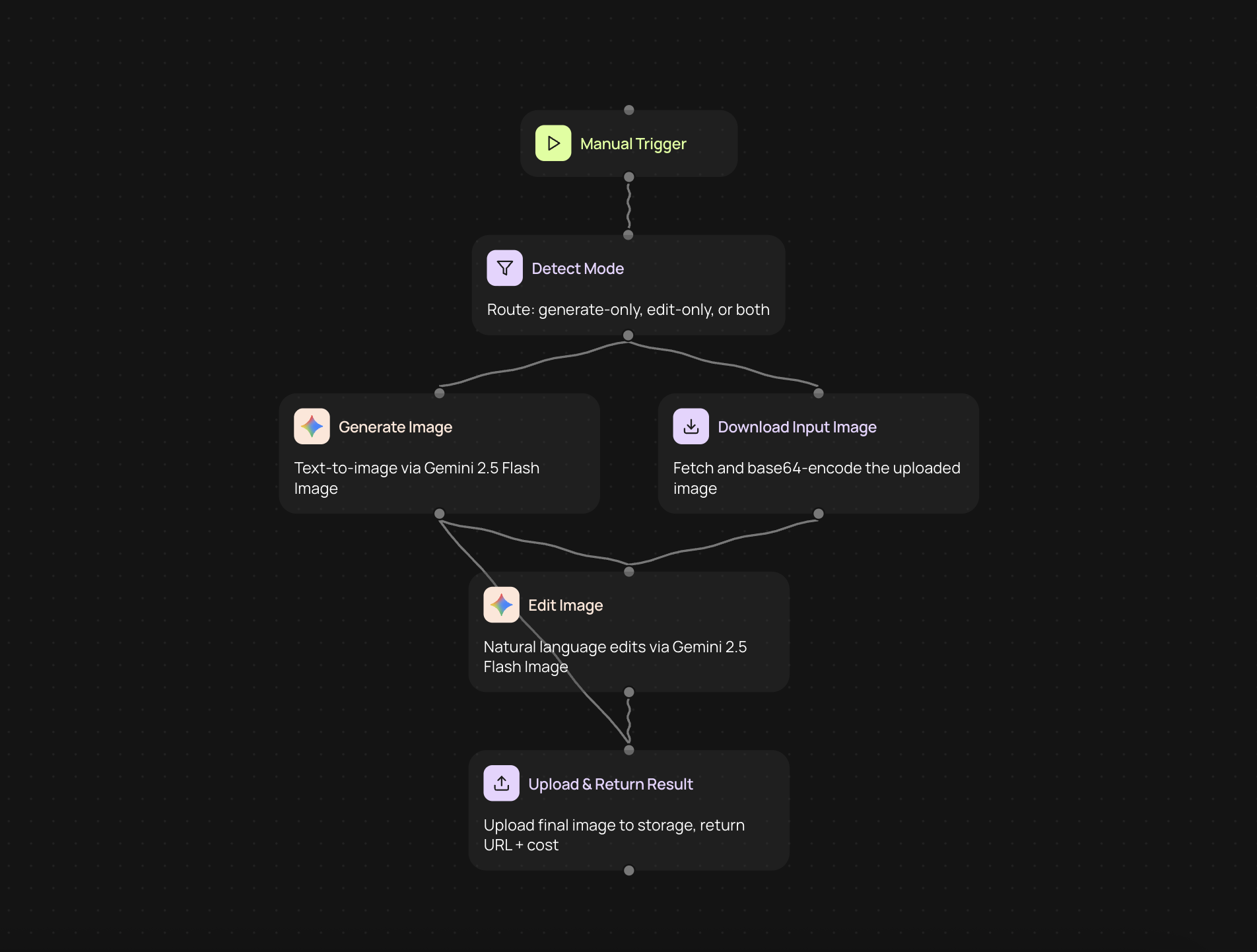
How does the AI image generator editor help you create and refine visuals?
You can create unique, eye-catching images for your presentations, social posts, or marketing assets — all in seconds. Just describe the image you want to generate, and our powerful Gemini 2.5 Flash engine brings it to life. Need changes? You can quickly edit or enhance images, so your visuals always hit the mark. No design background needed.
What types of images can you generate or edit?
Get everything from product mockups to creative artwork with just a few words. The editor supports various styles and formats, letting you tailor each image to your brand needs. Whether you start from scratch or tweak an existing image, you get consistent, high-quality results — without manual work or complex tools.
Can you customize images without hiring a designer?
Absolutely. You’re in control from idea to finished graphic, all automatically. Type your instructions, preview, and tweak until it’s perfect. Use generation, editing, or both in one smooth flow to streamline your visual content process and boost your creative output.
How can you set up and start generating images now?
To get started, you just need your project brief — no special software or skills required. Select your preferred workflow: generate a new image, edit one you already have, or combine both. Follow the setup guide, enter your prompts, and you’ll be ready to produce stunning visuals in moments.
Get started today
Your first workflow is free to build.
Describe what you need. Cody handles the build, the connections, and the deployment.