Affinity Pass Email Drafter — send personalized investment offers instantly
Write tailored investment offer emails in moments. Pulls Affinity CRM deal data and drafts pass emails for you — ready to send.
Example starting point only. Verify every connection and any sending, booking, inventory, approval, or handoff action before deployment.
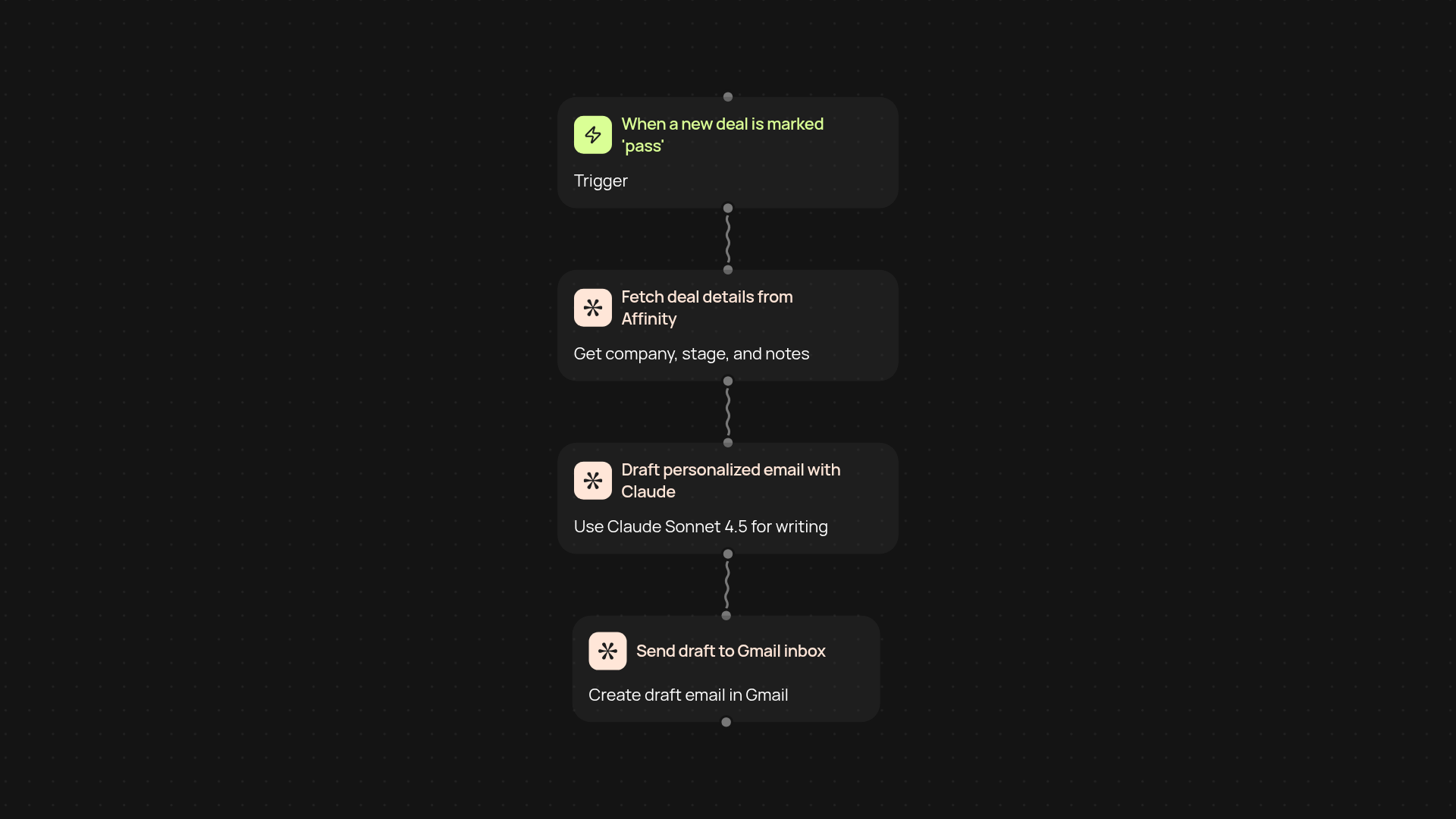
How does this template create tailored investment pass emails automatically?
Just connect your Affinity CRM and Gmail account — the template instantly pulls your deal details and drafts pass emails using Claude Sonnet 4.5. Each email is customized to the opportunity and recipient, saving you the hassle of manual drafting. Your messages are ready to send, with all the personalization you’d expect.
Can it save you hours on routine investment outreach?
Yes — this automation works in the background, so you never have to start from scratch again. Skip the repetitive typing and reformatting. Instead, you’ll have high-quality, ready-to-go emails for each investment deal, keeping your pipeline moving without delays or missed follow-ups.
What information does it use from Affinity CRM?
This template fetches key deal details, including company name, deal stage, and any notes you’ve added in Affinity. Claude Sonnet 4.5 uses this context to craft a message that feels hand-written. No more digging around for the right info — you’ll see it flow directly into your draft.
How do you get started — and what do you need?
Getting up and running is simple. You only need access to your Affinity account and a connected Gmail inbox via Pipedream. No technical skills are necessary — just connect, trigger a deal, and let the automation do the rest. In minutes, you’ll be sending professional, personalized pass emails automatically.
More templates
Get started today
Your first workflow is free to build.
Describe what you need. Cody handles the build, the connections, and the deployment.