Accounting Data Extractor — turn statements into Google Sheets instantly
Upload your bank statements in any format and extract normalized transactions directly into Google Sheets in minutes. No manual entry needed.
Example starting point only. Verify every connection and any sending, booking, inventory, approval, or handoff action before deployment.
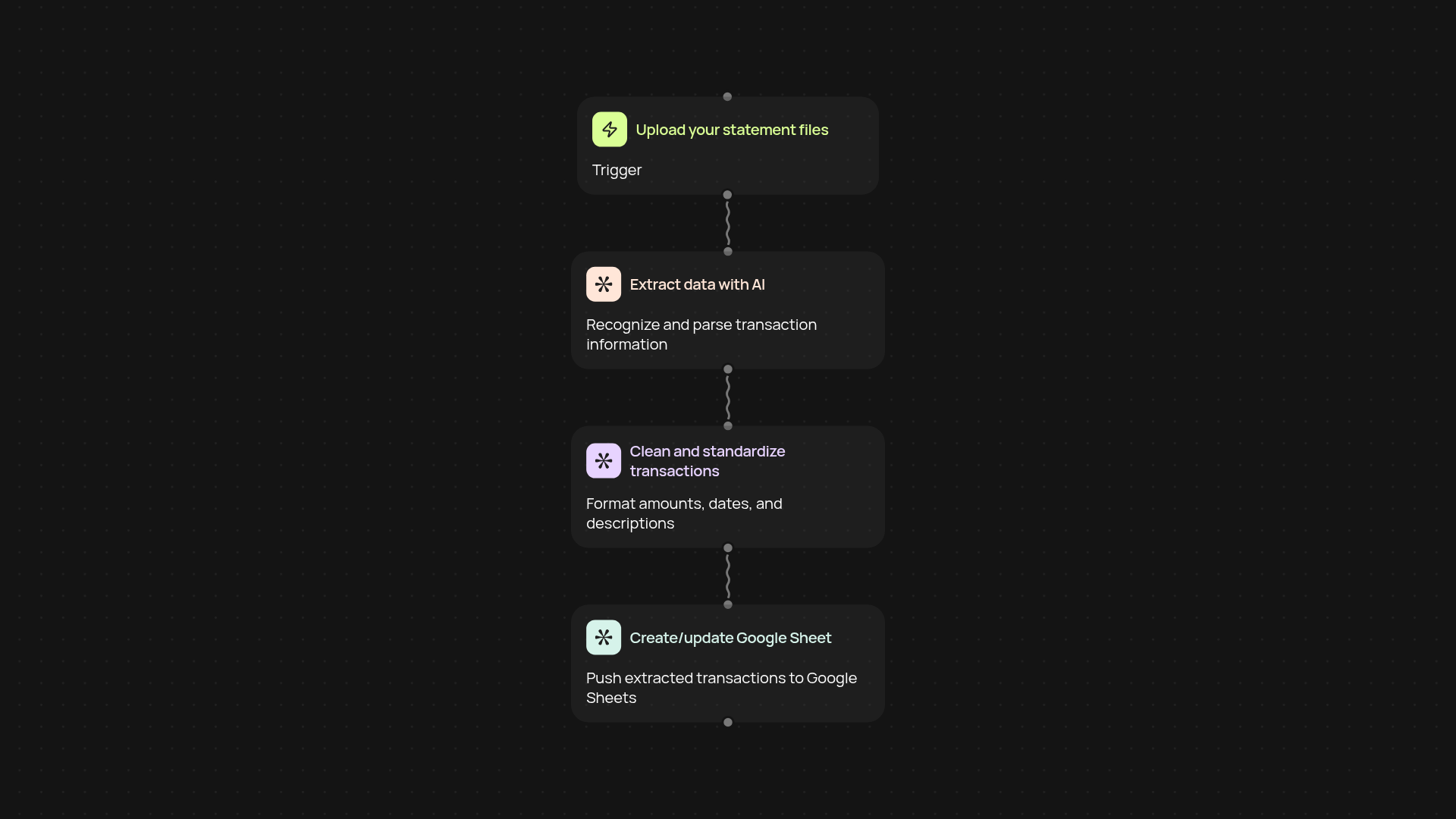
How does the accounting data extractor save you hours?
Easily turn your bank statements into actionable data without the usual hassle. Just upload your statements — no matter if they’re PDFs, images, Excel, or CSV files. Our template extracts every transaction, sorts and normalizes them, then sends everything straight to a Google Sheet. Forget about manual typing or endless copy-paste. The entire process runs in the background, leaving you with reliable, ready-to-use data every single time.
Which file types and banks are supported?
The extractor works with the widest range of formats: PDFs, images (like phone scans), CSVs, and Excel files are all supported. It handles statements from major banks around the world. Even if your format or layout seems tricky, you don’t have to worry — the data is recognized and structured for you. No more headaches from incompatible formats.
How accurate is the extraction and normalization?
The extractor uses AI-powered text recognition and parsing to pull transaction details like dates, descriptions, and amounts reliably. Even if your statements are a bit messy, it catches the key data and maps it into clean columns. Every transaction lands in the correct place so you can instantly review or analyze. Confidence in your bookkeeping comes built-in.
How do you set it up and what do you need?
Getting started is simple: just connect your Google account and upload your statements. There's no software to install or technical setup—everything works inside your browser. In just a few clicks, you’ll have all your transactions in a structured Google Sheet, ready for reporting or reconciliation.
More templates
Get started today
Your first workflow is free to build.
Describe what you need. Cody handles the build, the connections, and the deployment.