Accessible Braille Reader — turn images to Braille instantly
Convert any text image to Braille or audio output for visually impaired users. Simple, automatic workflow. Get started with CodeWords today.
Example starting point only. Verify every connection and any sending, booking, inventory, approval, or handoff action before deployment.
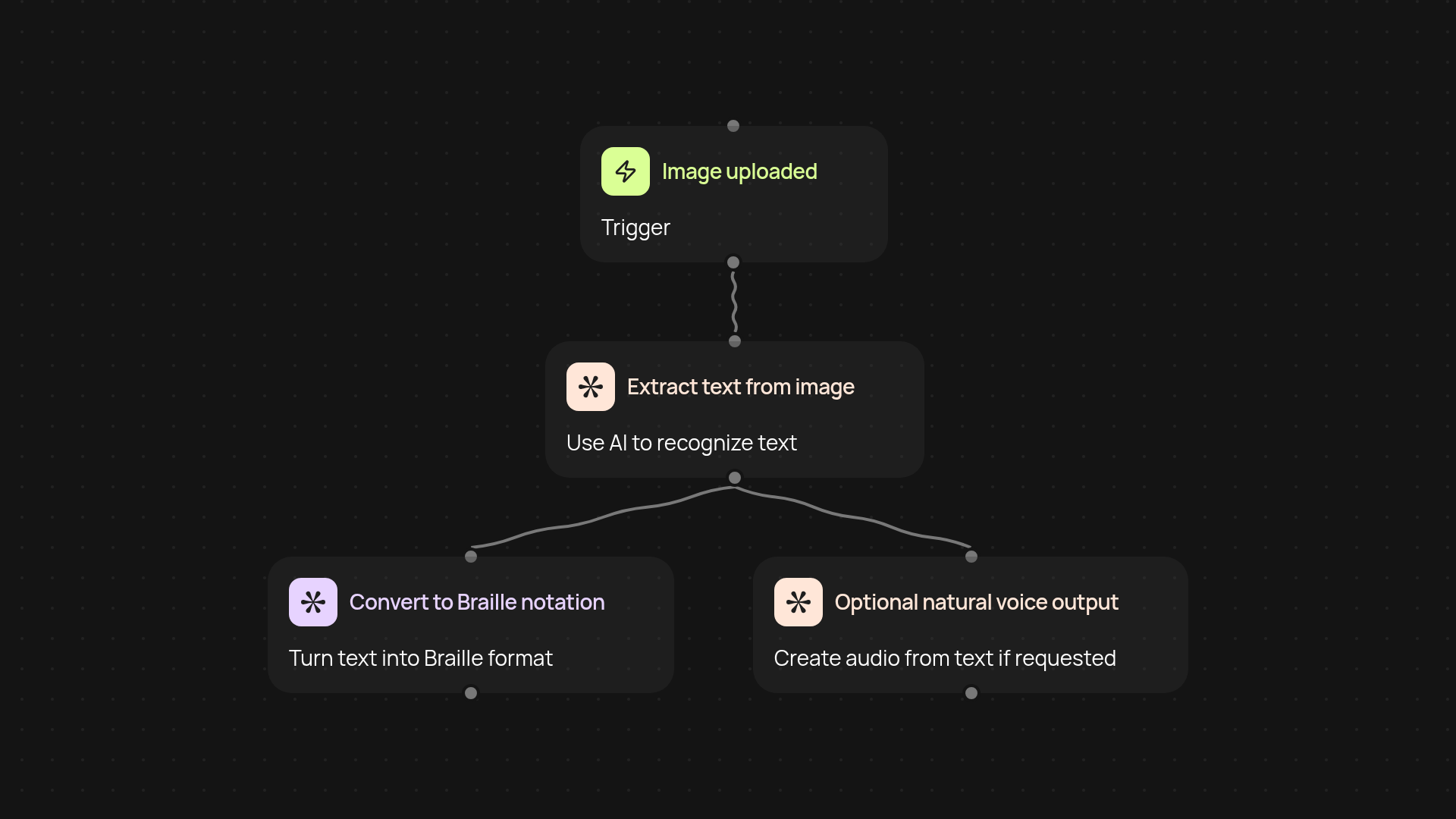
What does the accessible braille reader do from start to finish?
The Accessible Braille Reader gives you a simple way to convert any image containing text into Braille notation — and, if you choose, natural voice audio. Just start the workflow and images are processed in the background, so visually impaired users can access content automatically. You can instantly receive Braille output or play back an audio version, making printed or digital content much more accessible without any manual effort.
How does it convert images to Braille for you?
First, the reader pulls in any image you provide. It uses trusted AI to recognize all visible text in the picture. Next, that text is translated into accurate Braille notation, and if you’d like, converted to natural speech. The process is fast and reliable, so you’re not left waiting — and you never need to type anything yourself.
Can it provide both Braille and voice at once?
Yes, you always have both options. After image upload, you receive Braille in digital form, ready for compatible devices or printing. If needed, high-quality audio is generated using natural-sounding AI voices, so content is even more accessible. Everything’s handled almost instantly, right after each image is submitted.
What do you need to get started?
You only need an image with visible text and access to CodeWords. The workflow runs automatically — just drop your image, choose your output (Braille, audio, or both), and get results right away. No technical skills required; everything is ready for you out-of-the-box.
More templates
Get started today
Your first workflow is free to build.
Describe what you need. Cody handles the build, the connections, and the deployment.