LinkedIn Comment Reply Suggester
Engage with every LinkedIn comment without spending hours writing replies. AI suggests personalized responses for all your post comments.
Example starting point only. Verify every connection and any sending, booking, inventory, approval, or handoff action before deployment.
 Rebecca Pearson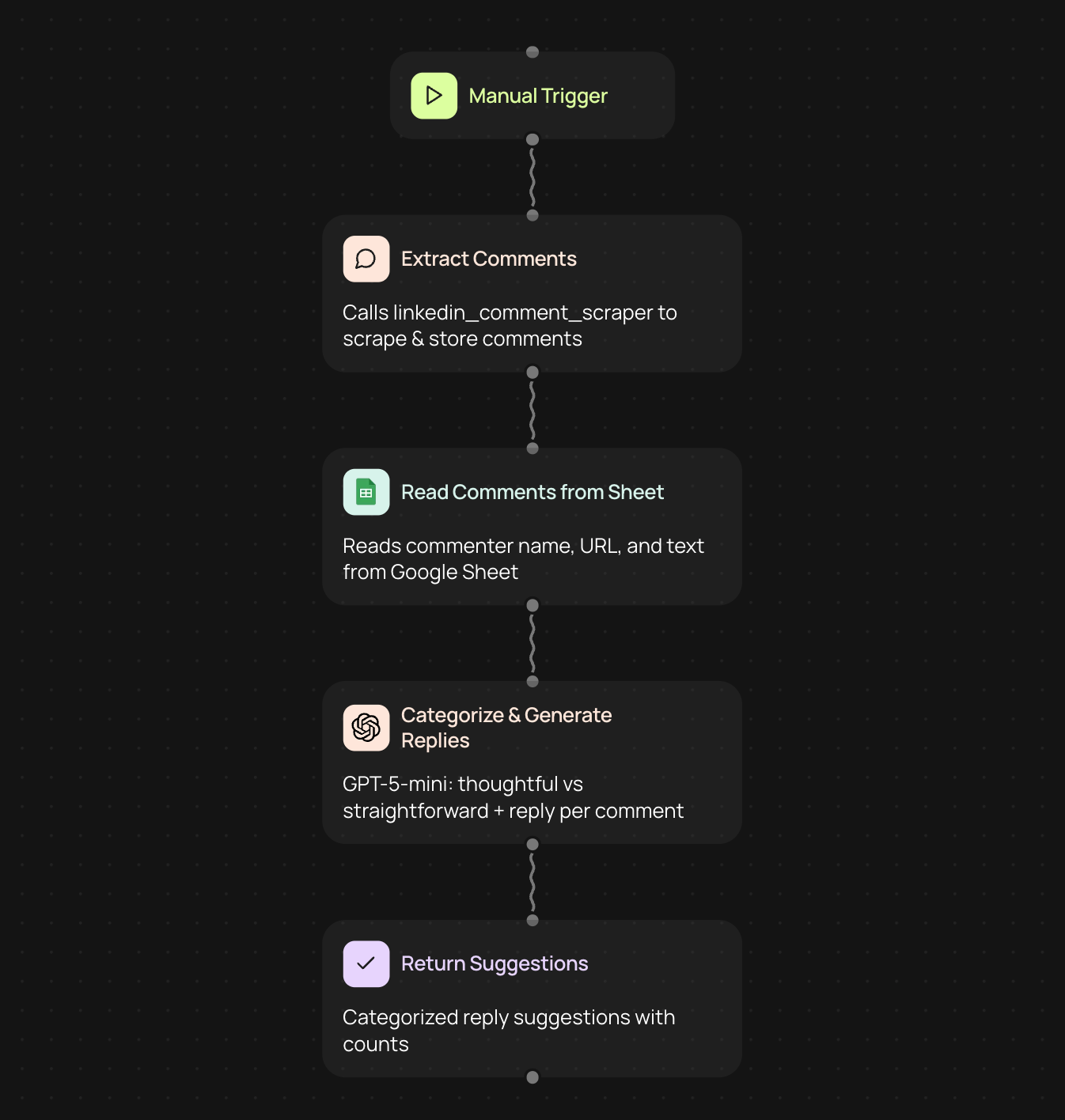
Who is this for?
This workflow is designed for LinkedIn content creators, thought leaders, and sales professionals who are actively building their personal brand. If you're posting regularly on LinkedIn and getting dozens of comments that you want to respond to thoughtfully but don't have hours to spend crafting individual replies, this is for you.
What problem does this solve?
Responding to every comment on your LinkedIn posts is crucial for engagement and relationship-building, but it's incredibly time-consuming. You want to give thoughtful, personalized responses to meaningful comments while also acknowledging simpler reactions — but manually writing dozens of replies can take hours away from your actual work.
What this workflow does
- Captures the URL of your LinkedIn post and extracts all comments
- Analyzes each comment using AI to understand its depth and intent
- Categorizes comments as either 'thoughtful' (requiring personalized responses) or 'straightforward' (needing quick acknowledgments)
- Generates appropriate reply suggestions in your authentic voice for every single comment
- Matches the tone and depth of each suggested reply to the original comment
- Exports everything to a Google Sheet where you can review, edit, and copy replies seamlessly
Setup
- LinkedIn account (accessed through Chrome Extension)
- Google Sheets account
- OpenAI account for AI-powered reply generation
How to customize
- Adjust the AI prompt to match your specific voice and tone preferences
- Set different reply templates for various comment categories (appreciative, questioning, challenging, etc.)
- Add custom categorization rules based on comment length, keywords, or sentiment
- Include automatic filtering to skip comments from certain users or containing specific words
- Customize your Google Sheet columns to track additional data like commenter profile info or follow-up tasks
- Set up notifications when particularly important comments need your attention
Get started today
Your first workflow is free to build.
Describe what you need. Cody handles the build, the connections, and the deployment.