Granola meeting notes to Slack — share meeting summaries with your team
Sync your Granola meeting notes to Slack. Post formatted summaries with attendees, timestamps, and key takeaways to any channel.
Example starting point only. Verify every connection and any sending, booking, inventory, approval, or handoff action before deployment.
 Rithul Palazhi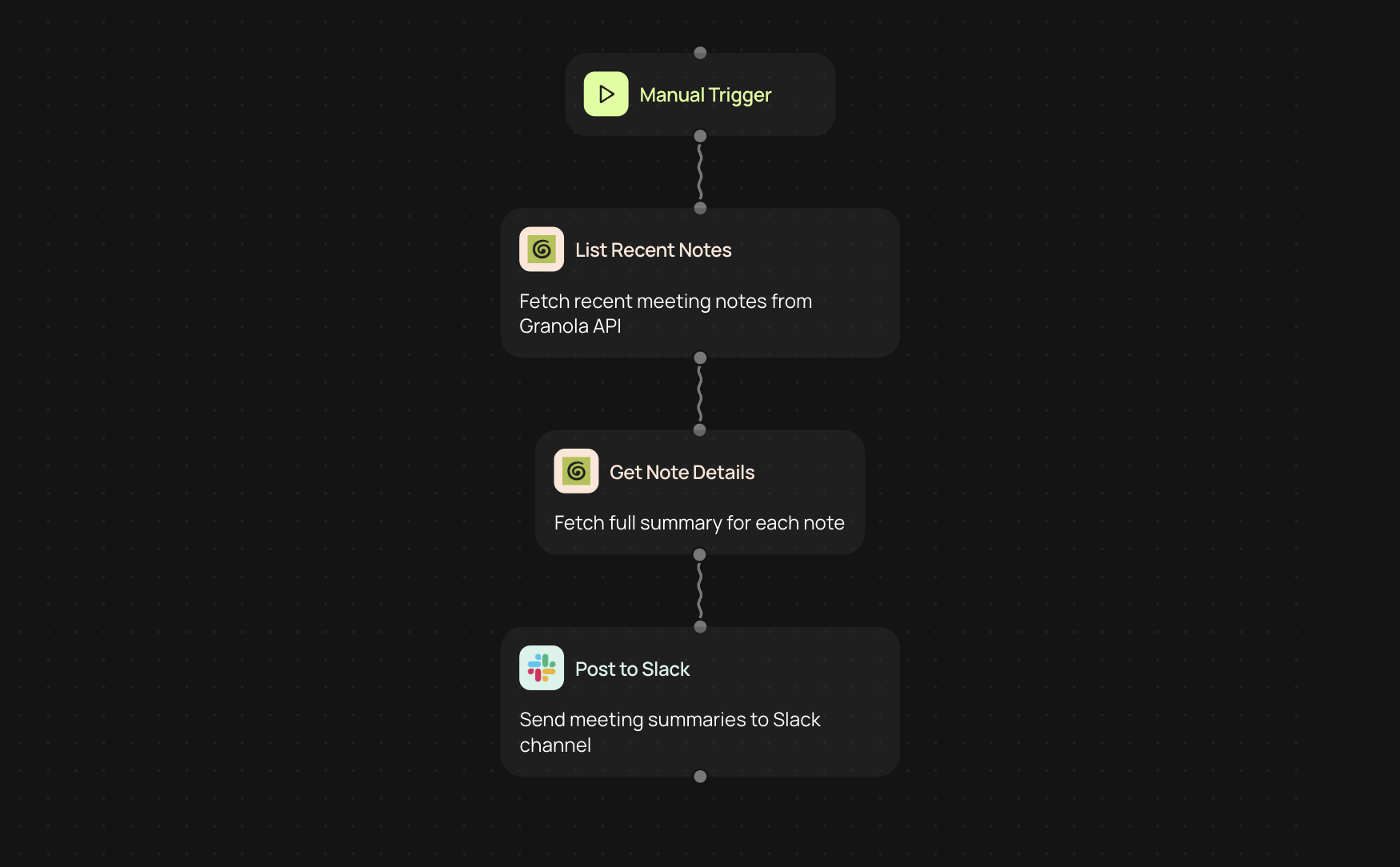
Post Granola meeting notes to Slack
This workflow pulls your recent meeting notes from Granola and posts formatted summaries to any Slack channel. Each summary includes the meeting title, owner, time, attendees, and the full meeting summary text. You choose how far back to look and which channel to post to.
Useful for teams that want meeting outcomes visible in Slack without anyone copying and pasting from Granola after every call.
What each Slack message includes
Every note gets posted as a structured message with the meeting title, who ran the meeting, the scheduled time, all attendees listed by name, and the complete summary from Granola. The formatting is clean and scannable so your team can catch up without opening another tool.
If there are no notes for the time period you selected, the workflow posts a short notification so you know it ran and found nothing, rather than failing silently.
How the sync works
You set the number of days to look back (1 to 30) and the Slack channel name. The workflow calls the Granola API with pagination to fetch all matching notes, then retrieves the full details for each one. It resolves your channel name to a Slack channel ID, formats each note, and posts them one by one. The whole process runs in a single request.
What you need to connect
You'll need a Granola API key and your Slack workspace connected to CodeWords. The Slack channel must be public, and the CodeWords bot needs to be invited to it. No other setup is required.
More templates
Get started today
Your first workflow is free to build.
Describe what you need. Cody handles the build, the connections, and the deployment.