Gmail Contact Extractor — capture Gmail sender details fast
Extract email contacts from Gmail and send to Google Sheets instantly. Save hours weekly by automating sender exports, all without manual copy-paste.
Example starting point only. Verify every connection and any sending, booking, inventory, approval, or handoff action before deployment.
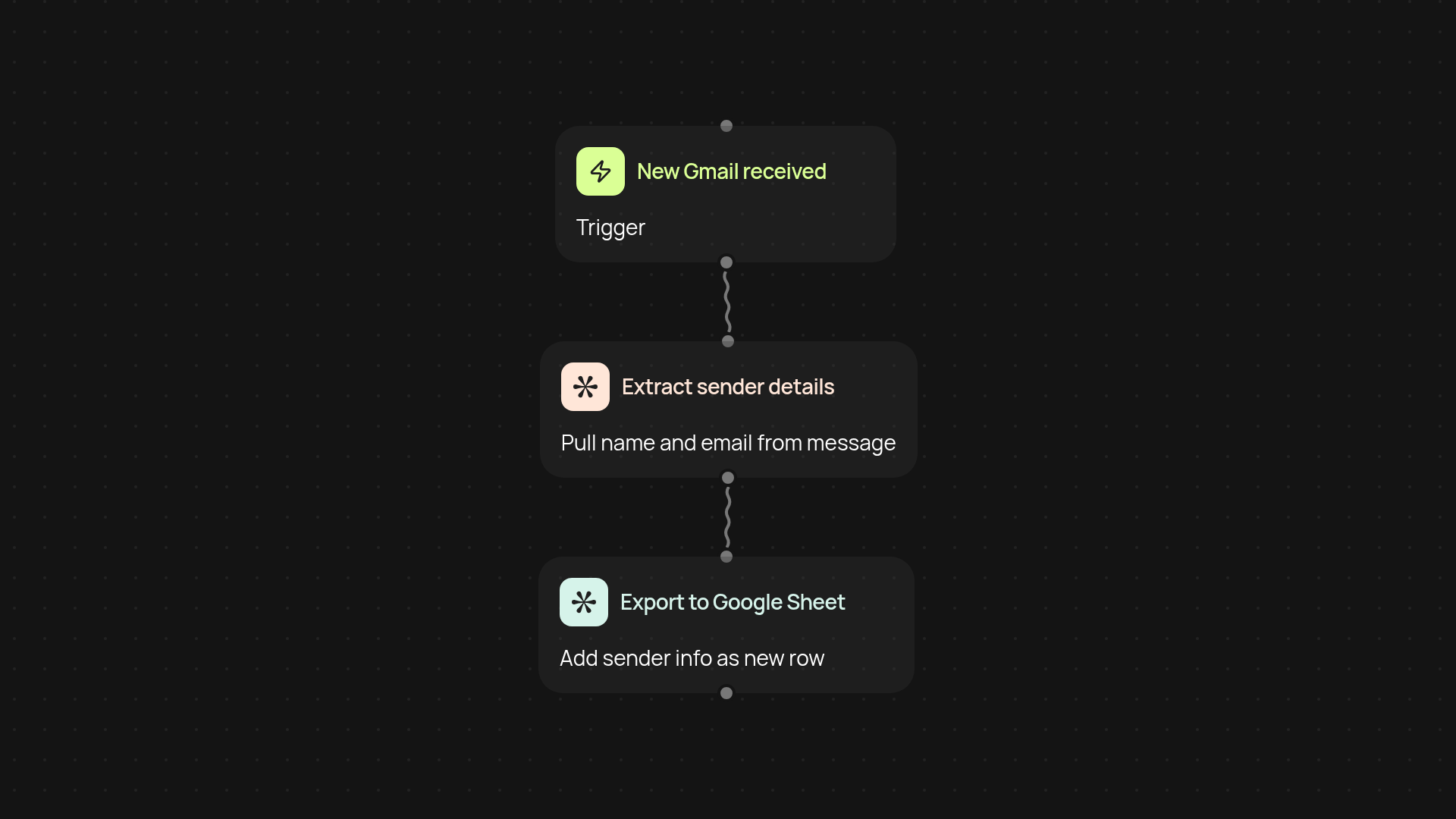
How can you export Gmail contacts to Google Sheets automatically?
With the Gmail Contact Extractor, you can send new sender details from Gmail right to a spreadsheet in moments. There’s no need to copy, paste, or organize contacts by hand—this template does the heavy lifting for you. Whenever you receive a new email, the system extracts the sender’s name and address, then logs it in Google Sheets automatically. It's a smooth way to make your email connections organized and instantly accessible.
What sender details get captured and stored?
You receive both the sender's name and email address from each new Gmail message—no details missed. These are sent right into your Google Sheet, creating an up-to-date contact list after setup and review. That’s perfect for keeping sales leads, networking contacts, or support requests all in one place, ready to use or share at any time.
How soon do new contacts appear in your spreadsheet?
Once set up, the extractor works in the background. As soon as a new email hits your inbox, the details are captured and your Google Sheet is updated instantly. Forget manual updates—your contact list stays current automatically, giving you more time for real conversations.
What do you need to start using it?
All you need is a Gmail account and access to Google Sheets. The setup takes just a few clicks: connect your Gmail and Google Sheets once, then you’re set. There’s no ongoing maintenance or technical work—CodeWords keeps everything flowing between your inbox and spreadsheet automatically.
More templates
Get started today
Your first workflow is free to build.
Describe what you need. Cody handles the build, the connections, and the deployment.