Blog to Slack to Discord — fast approvals for content sharing
Send new blog posts to Slack first, approve with a reaction, then instantly share to Discord. Perfect for safer content sharing automatically.
Example starting point only. Verify every connection and any sending, booking, inventory, approval, or handoff action before deployment.
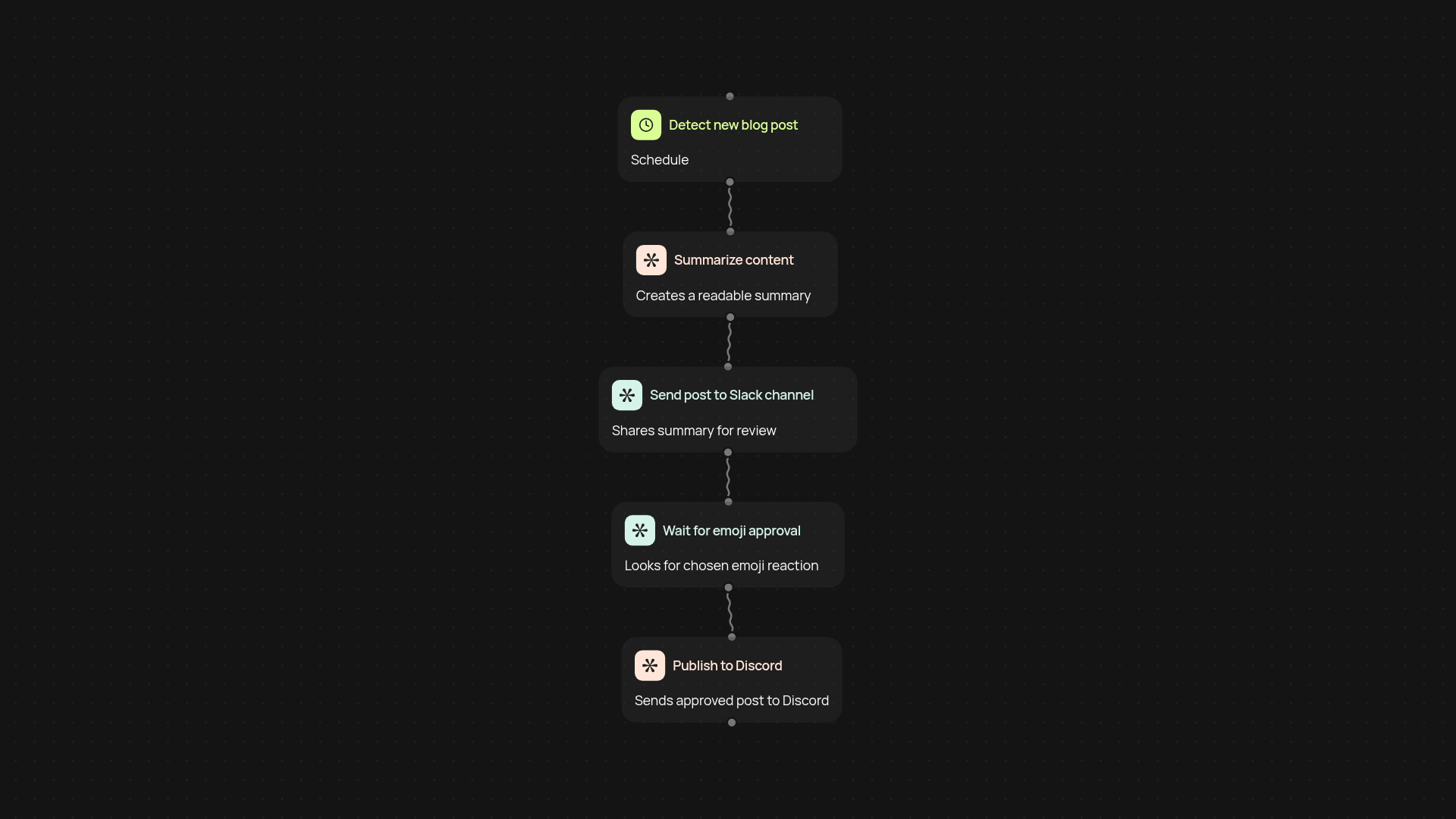
How does this blog to Slack to Discord approval workflow help you share content safely?
You get a guided way to control which blog posts make it from your website to your public Discord community. New blog articles appear in your team’s Slack channel first, making internal review simple. Team members can approve by reacting with an emoji—then, and only then, your post gets sent to Discord. This means nothing goes live until you or your team give the thumbs up, keeping your community’s feed thoughtful and relevant.
Why use emoji-based approvals over more manual processes?
This approach puts you in the driver’s seat without the hassle. Instead of back-and-forth messages or tracking approvals in spreadsheets, a quick emoji reaction in Slack is all that’s needed. You cut out manual steps, reduce errors, and always know who approved what. The workflow runs in the background so you never have to move content by hand or chase someone for a decision.
Can this process keep your team in sync across tools?
Yes—your team sees every draft in Slack right away, and only the posts you approve show up on Discord. No risk of unreviewed content going public. It’s easy for anyone in your team to give input, and you avoid bottlenecks and overload since approvals happen with a single tap. The result: a reliable, visible sign-off across both platforms.
What do you need to get started and set up the workflow?
You’ll just need access to your blog (or RSS feed), a Slack channel, and a Discord server or channel. Connect these in CodeWords once, then let the automation do its work. Guided setup required—just plug in your details, select the Slack emoji for approvals, and you’re done. You’ll have confidence every post is checked and approved, all after setup and review.
Get started today
Your first workflow is free to build.
Describe what you need. Cody handles the build, the connections, and the deployment.