Accounting Journal Generator — double-entry bookkeeping
Transform transactions into journal entries and T-accounts — export to Google Sheets automatically. Stay organized without manual bookkeeping.
Example starting point only. Verify every connection and any sending, booking, inventory, approval, or handoff action before deployment.
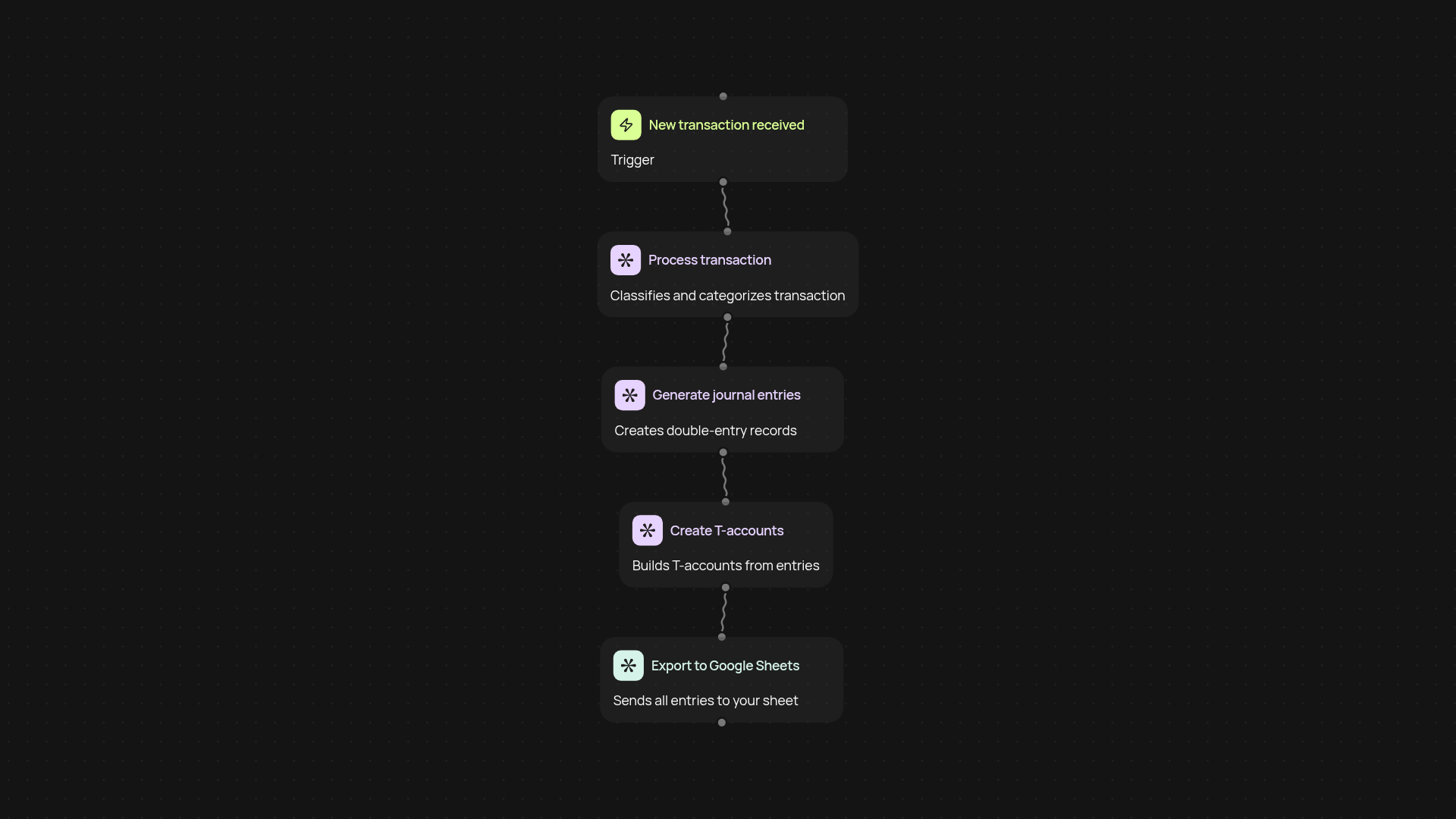
How does this accounting journal template automate double-entry bookkeeping?
This template takes the busywork out of bookkeeping by processing transactions, generating double-entry journal entries, and creating T-accounts for you. Instead of spending hours tracking transactions by hand, you'll have every entry mapped instantly — all the way from data import to organized records in Google Sheets. Whether you manage a single project or keep books for multiple clients, this template ensures nothing slips through the cracks.
Can I generate T-accounts and export them to Google Sheets without manual work?
Yes — all T-accounts and journal entries are created automatically and exported to your chosen Google Sheets file. Each debit and credit is automatically recorded on the correct account, so your financial records stay organized and transparent. There’s no need to reconcile by hand or spend time transferring data between systems.
How are transactions processed and mapped to journal entries?
The process begins when you upload or receive transaction details. Each item is checked, categorized, and transformed into journal entries using proven double-entry logic in the background. Instantly, accurate T-accounts are generated, making reviews and audits simple and clear. You stay audit-ready, and your records always tie out.
What do I need to get started with this accounting journal solution?
Just connect your Google Sheets account and set up your incoming transaction feed — this could be from your email, receipts, or any other source you use. Once active, the system handles the rest automatically. No special training needed. Sit back as your books stay up to date after setup and review.
More templates
Get started today
Your first workflow is free to build.
Describe what you need. Cody handles the build, the connections, and the deployment.